AI Virtual Staging & House Staging Service
Your online virtual stager. Virtually furnish any empty room and get a professionally staged listing photo in under 60 seconds. Upload a photo, pick from 37 design styles, and Homai's home staging virtual engine delivers a fully furnished, download-ready result — no furniture hire, no stylist, no wait.
The house staging service agents use — professionally staged listing photos from any room photo, in under 60 seconds.
Let's configure your virtual staging & house staging service
Upload your room photo
JPG, PNG or WEBP · Works best with well-lit rooms
Plans from $49/month · Cancel anytime
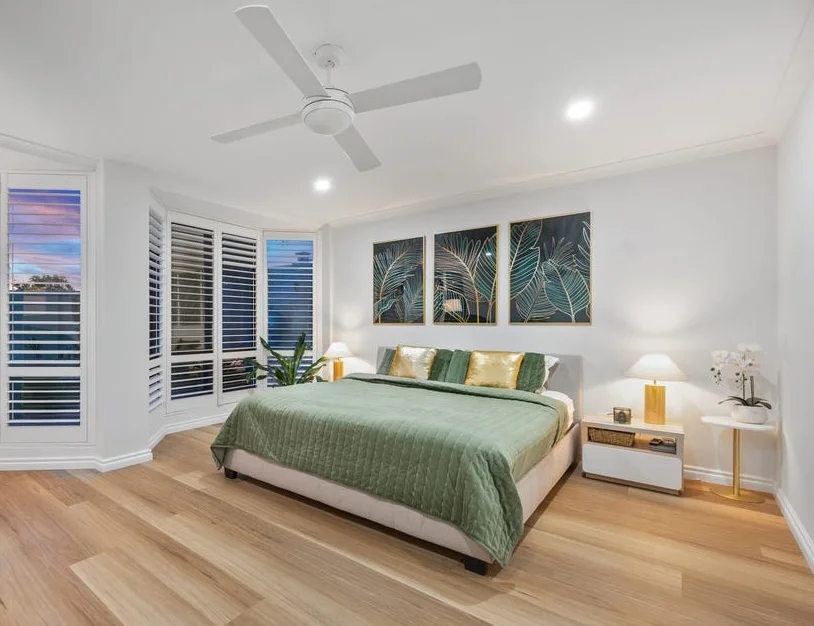
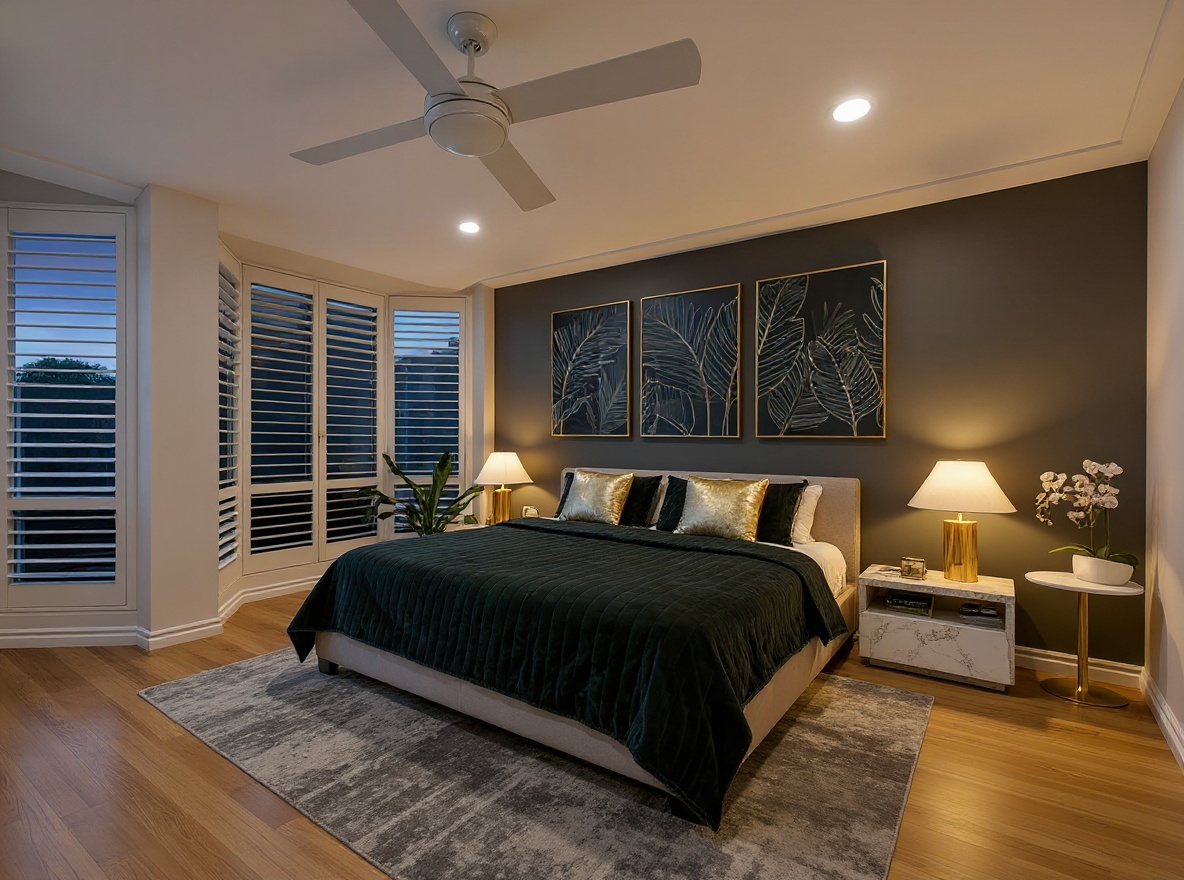
Output Example
Listing-ready quality. High-resolution output — download immediately after generation.
Related tools you might like:
or explore our 30+ other tools to get the exact result you want
Explore our toolsTurn Empty Rooms Into
Stunning Staged Photos
⊞Design Style
Modern
⊞Room Type
Living Room
Stage Any Empty Room in 4 Simple Steps
Upload your room photo
Upload any JPG, PNG or WEBP photo of the empty or furnished room you want to stage.
💡 For best results: well-lit rooms at least 1024×768px, camera straight-on angle. Avoid fish-eye lenses and heavy shadows.
Choose your design style
Select from 37+ curated interior design presets — from Modern and Hamptons to Japandi and Art Deco.
Select the room type
Tell the AI what the room is so it furnishes it with the right pieces — a living room gets sofas and coffee tables, not a bed.
Download and publish instantly
Your virtually staged photo is ready in under 60 seconds. Download full-resolution and upload directly to portals, brochures, and social.
The House Staging Service That Works
From a Single Photo — Online, In 60 Seconds
Traditional house staging services charge $400–$1,000 per room, require physical access, and take days to schedule. Homai is the AI house staging service that replaces all of that: upload a room photo, and your virtual stager delivers a fully furnished, listing-ready result in under 60 seconds. Same outcome, 90% less cost, done today — no furniture hire, no stylist, no site visit.
Home Staging Virtual Technology —
Any Room, Any Style, 60 Seconds
Upload any JPG or PNG, select from 37+ interior design presets, and Homai's home staging virtual engine delivers a fully staged, photorealistic result in under 60 seconds. Living rooms, bedrooms, kitchens — kitchen home staging, bedroom staging, open-plan living — all supported. The AI understands room proportions, natural lighting, and listing-portal quality standards.
37+ Staging Design Styles —
Matched to Every Buyer Profile
Generic virtual stager tools give you one or two styles. Homai offers 37+ staging design presets curated to match real buyer preferences across every market segment — family homes, investment properties, prestige listings. Switch staging styles in seconds to match your likely buyer and property type.
Stage a Full Listing in Minutes —
Not Days. Batch Virtual Staging Included.
Physical house staging services mean coordinating a stylist, scheduling access, and hauling furniture — then doing it all again if the listing date shifts. Homai's batch mode stages every room in a property simultaneously. Upload all your room photos at once, pick a staging design, and the full listing is done before a traditional staging service has finished the paperwork.
Why Agents Choose Homai AI Virtual Staging
See how AI virtual staging compares to traditional physical staging
See What You Can Create with
AI Virtual Staging
Explore different styles and possibilities — from vacant bedrooms to fully furnished living rooms, see what Homai delivers in under 60 seconds.
Staging That Gets
More Enquiries
Furnished listing photos consistently out-perform bare room photos in click-through rate and enquiry volume. Buyers emotionally connect with staged spaces — they can picture their life there. Homai gives every listing that edge, without the cost or wait of physical staging.
- Photorealistic results designed for listing portals
- Furniture, soft furnishings, and décor calibrated per room type
- Download-ready — no editing or touch-up required

37+ Styles — One for
Every Buyer Profile
Different buyers respond to different aesthetics. Hamptons for family buyers, Japandi for investors, Luxury for prestige listings. Homai's 37+ presets let you match staging style to the likely buyer at the click of a button — not locked to one stylist's taste.
- Hamptons, Coastal, Scandinavian — lifestyle buyer appeal
- Japandi, Minimalist, Modern — investor and professional market
- Art Deco, Luxury, Gallery — premium and prestige properties

Stage an Entire Listing
in Minutes
Physical staging takes days of coordination. With Homai's batch mode, every room in a listing is staged simultaneously — living room, bedrooms, kitchen, dining area — and results are available for download within minutes. Perfect for agents with time-sensitive listing dates.
- All rooms processed in parallel — no waiting queue
- 5-room listing typically completes in 2–3 minutes
- Download all rooms as a ZIP for easy portal upload

AI House Staging Service for Every Room & Property Type
Virtual staging for kitchens, bedrooms, living rooms, and entire listings — vacant apartments, family homes, investment properties, prestige listings. The complete Homai house staging toolkit.
Frequently Asked
Questions
A virtual stager is an AI tool that digitally furnishes room photos without physically moving any furniture. A traditional house staging service sends physical furniture, stylists, and props to the property — costing $400–$1,000 per room and taking days to schedule. Homai's virtual stager produces the same listing-ready result from a single photo in under 60 seconds, at a fraction of the cost.
Living rooms, bedrooms, dining areas, open-plan living, home offices, and kitchens. Kitchen home staging is fully supported — upload your kitchen photo and the AI adds appropriate styling, bench accessories, and pendant lighting. For best results, the room should be clearly visible with unobstructed walls and floors.
Yes — staging empty rooms is exactly what Homai is designed for. Upload a photo of a bare room and the AI will furnish it with appropriate furniture, soft furnishings, and décor suited to the room type and your chosen style. No existing furniture needs to be present.
JPG, PNG and WEBP files are all supported. For best results, use a photo of at least 1024×768 pixels with good natural lighting and a straight-on camera angle. Avoid fisheye lenses or heavily distorted angles.
Typically 30–60 seconds per room from upload to download. Batch jobs run all rooms in parallel, so a full 5-room listing usually completes in 2–3 minutes.
Yes. Homai is a paid platform — all plans require a credit card at signup. You can see real staging output quality in the demo on our homepage before committing. Plans start at $49/month and can be cancelled anytime.
Yes. Real estate agents are typically required to disclose virtual or digital staging in advertising. Homai includes a disclosure reminder on every staging result — you are responsible for including the appropriate disclosure language in your actual listings per your local regulations.
Simply regenerate with a different design style or add specific notes in the Advanced field to guide the AI. Every generation uses 1 credit, and you can regenerate as many times as your plan allows.
Yes. Use the Remove & Replace Furniture tool first to clear the room, then virtually stage it with your chosen style. This workflow is available directly in the dashboard.
Explore all Homai AI tools
Every tool works on your existing listing photos — no new photography required.
Four simple steps to stage, redesign,
or transform any property
Upload any property photo and get a professional staging, redesign, or marketing result in under 60 seconds.
Upload your photo
Any room, exterior, floor plan, or sketch — JPG, PNG, or WEBP. Works with existing listing photography or smartphone shots.
- Works on rooms, exteriors, floor plans, and design sketches
- No special equipment — phone camera quality is fine
💡 For best results: well-lit spaces with a straight-on camera angle. Avoid heavy shadows or fish-eye lenses.

Choose your style or settings
Select your design style, tone, or output preferences. Each tool has its own options — staging style, colour, dusk intensity, or copy tone.
- 37+ staging and design styles available across tools
- Settings are tailored to each tool's specific output type

AI generates your result
The AI processes your input and delivers a high-resolution result in under 60 seconds. No manual editing or design experience required.
- Results in under 60 seconds — faster than any manual process
- High-resolution output — no editing or touch-up required

Download and use immediately
Your result is ready to download at full resolution. Publish directly to property portals, social media, client presentations, or print collateral.
- Full-resolution download — portal and print ready
- Use across listings, social media, brochures, and client presentations
