AI 3D Floor Plan Visualizer
Convert any architectural floor plan into a photorealistic top-down 3D visualization — fully furnished rooms, warm interior lighting, and real-world materials — in under 60 seconds. No 3D modelling, no rendering studio.
Show clients exactly how their floor plan lives — generate photorealistic 3D floor plan visualizations that make layouts instantly readable for buyers, investors, and approvals.
Let's configure your 3d floor plan visualizer
Upload a floor plan
JPG, PNG or PDF · CAD exports, hand-drawn plans, and scanned blueprints all work
Plans from $49/month · Cancel anytime
Related tools you might like:
or explore our 30+ other tools to get the exact result you want
Explore our toolsGenerate a 3D Floor Plan Visualization in 3 Steps
Upload your floor plan
CAD export, PDF scan, or a photograph of a hand-drawn plan. Any scale and any format works — the AI reads the layout geometry automatically.
💡 Clearly drawn floor plans with distinct room boundaries produce the most accurate results. Blurry or low-contrast scans may reduce accuracy.
AI generates the 3D visualization
The AI interprets your floor plan layout and renders each room as a fully furnished, warmly lit 3D space viewed from directly above — matching your plan's geometry as closely as possible.
Download and present
High-resolution photorealistic image ready for listing portals, brochures, investor decks, and DA submissions. Generate multiple versions to show different furnishing approaches.
Make Floor Plans Readable
for Every Buyer
Flat floor plan drawings are essential for architects and developers but notoriously difficult for buyers to interpret. Research consistently shows that buyers struggle to translate a 2D plan into a mental model of how a space will feel. A photorealistic 3D floor plan visualization solves this — the layout becomes immediately readable because every room is shown as a furnished, lit, liveable space. Listing campaigns that include 3D visualizations alongside traditional plans see higher enquiry rates and shorter days on market.
Off-the-Plan Marketing
Without the Studio Budget
Off-the-plan developments depend on visual marketing to sell properties that don't yet exist. Traditional 3D floor plan visualizations from a rendering studio cost $300–$800 per plan and take several days to produce. For projects with multiple floor plan configurations, the total render budget becomes a significant line item. AI 3D Floor Plan Visualizer delivers comparable output for a fraction of the cost — making it practical to visualize every configuration in a project, not just the hero plan.
Any Floor Plan to
Photorealistic 3D Visualization
See how AI transforms flat floor plan drawings into photorealistic top-down 3D cutaways with furnished rooms and real-world materials.
Residential Floor Plan to
Fully Furnished 3D View
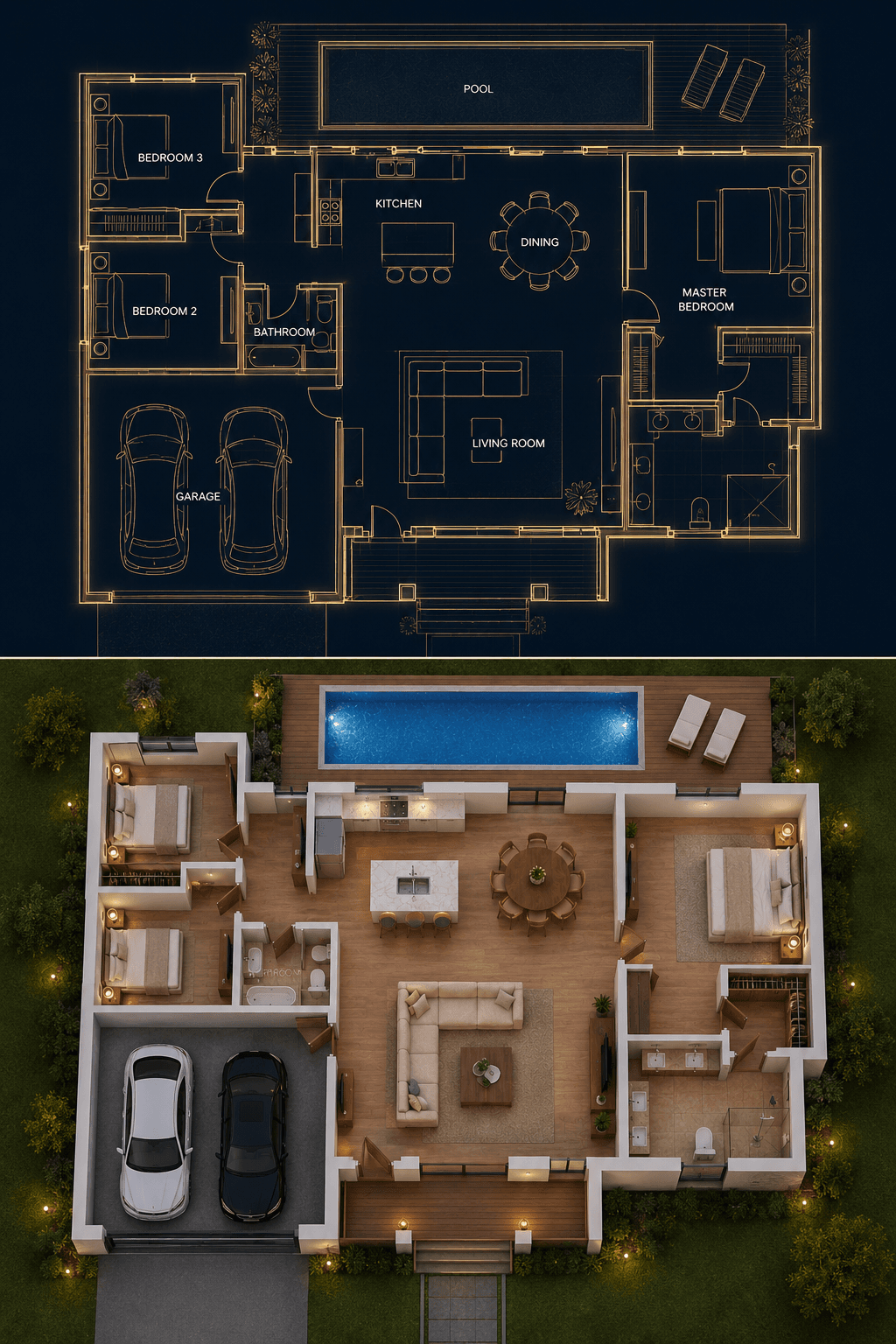
A standard residential floor plan becomes a fully furnished, warmly lit 3D visualization — every room rendered with appropriate furniture, materials, and ambient lighting. Living areas show sofas and coffee tables, bedrooms show beds and wardrobes, kitchens show appliances and countertops. Outdoor areas including pools, decks, and garden beds are rendered to match the plan layout. The result is a complete spatial picture that buyers can understand at a glance.
- All rooms furnished to reflect their designated function
- Outdoor areas — pools, decks, lawns — rendered to match the plan layout
- Warm ambient lighting gives depth and livability to every space
Off-the-Plan Layouts to
Investor-Ready Presentations
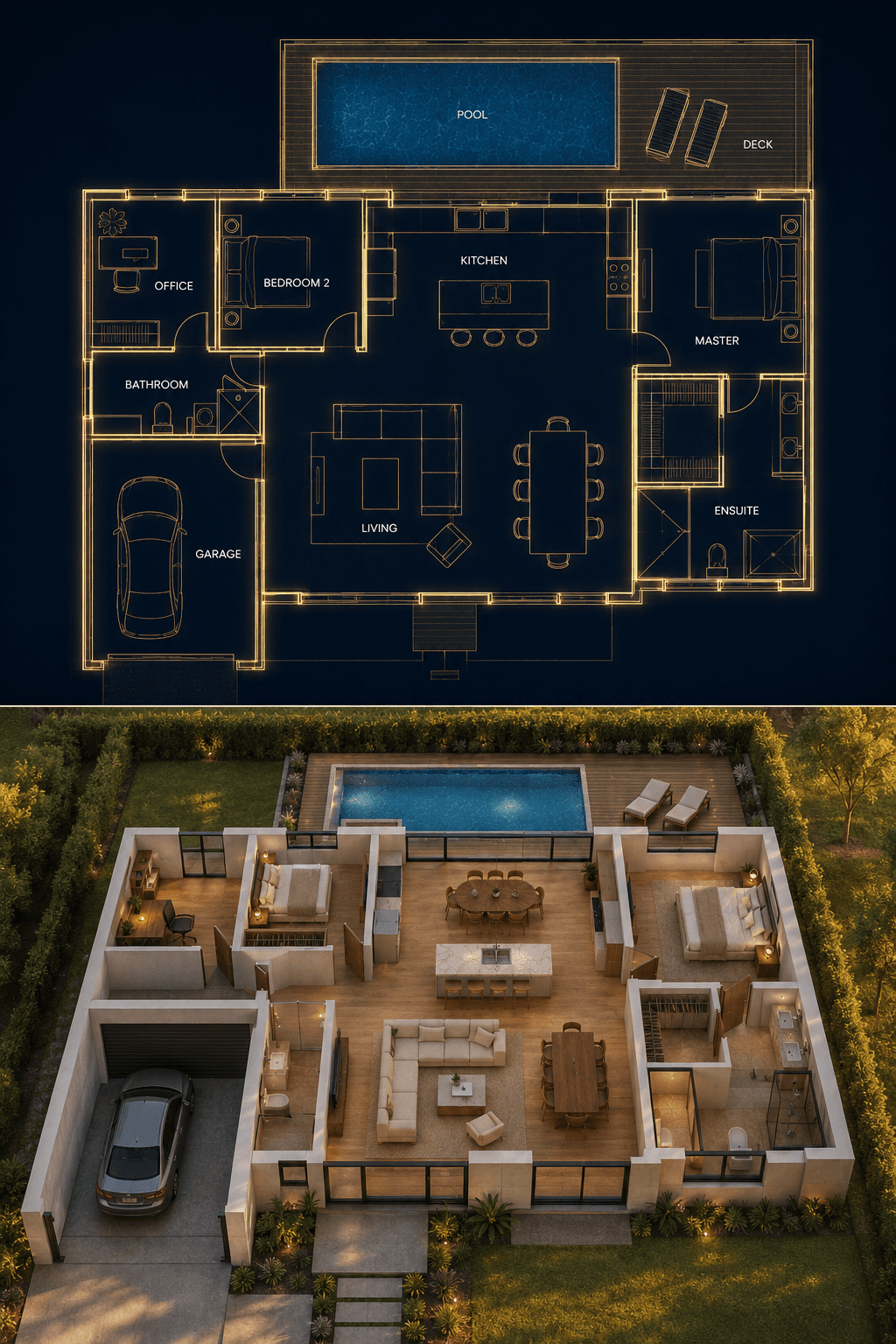
For off-the-plan apartments and townhouses, a 3D floor plan visualization communicates the spatial quality of a proposed development more effectively than any other single asset. Investors can immediately assess bedroom sizes, living area proportions, flow between spaces, and the relationship of indoor to outdoor areas — all from a single image that takes seconds to read. Include 3D floor plan visualizations in information memoranda and investor presentations to accelerate capital raising and contract signings.
- Communicate spatial quality to investors evaluating off-the-plan purchases
- Show multiple floor plan configurations side-by-side in investor presentations
- More compelling than a flat plan drawing for buyers who have not inspected a physical property
AI Architectural Visualisation Tools
Floor plans, elevation drawings, sketches, and existing rooms — explore the full Homai toolkit for every architectural and property marketing visualisation need.
Frequently Asked
Questions
Any floor plan format works — CAD exports, PDF scans, photographs of hand-drawn plans, and digital blueprints. The AI reads the layout geometry automatically. Clearly drawn plans with distinct room boundaries produce the most accurate results.
Yes — every room is rendered with furniture appropriate to its function. Bedrooms show beds and side tables, living rooms show sofas and coffee tables, kitchens show appliances and countertops, garages show parked vehicles. The furnishing level is representative rather than specified — it's designed to communicate spatial quality, not act as an interior design guide.
The AI matches the room positions, wall layout, and footprint of your uploaded plan as closely as possible. Complex or irregular plan geometries may be interpreted with some variation. For maximum accuracy, use a clear, high-contrast floor plan drawing with distinct room boundaries.
Yes — the output is a high-resolution image suitable for development application documentation and visual impact assessments. It should be labelled as an AI-generated visualization in formal submissions.
3D Floor Plan shows all rooms from directly above in a single top-down cutaway — ideal for understanding the full layout and flow. Plan to Interior generates ground-level interior renders for individual rooms — ideal for showing how a specific space will feel to be inside. Both tools complement each other in a marketing pack.
Explore all Homai AI tools
Every tool works on your existing listing photos — no new photography required.
Four simple steps to stage, redesign,
or transform any property
Upload any property photo and get a professional staging, redesign, or marketing result in under 60 seconds.
Upload your photo
Any room, exterior, floor plan, or sketch — JPG, PNG, or WEBP. Works with existing listing photography or smartphone shots.
- Works on rooms, exteriors, floor plans, and design sketches
- No special equipment — phone camera quality is fine
💡 For best results: well-lit spaces with a straight-on camera angle. Avoid heavy shadows or fish-eye lenses.

Choose your style or settings
Select your design style, tone, or output preferences. Each tool has its own options — staging style, colour, dusk intensity, or copy tone.
- 37+ staging and design styles available across tools
- Settings are tailored to each tool's specific output type

AI generates your result
The AI processes your input and delivers a high-resolution result in under 60 seconds. No manual editing or design experience required.
- Results in under 60 seconds — faster than any manual process
- High-resolution output — no editing or touch-up required

Download and use immediately
Your result is ready to download at full resolution. Publish directly to property portals, social media, client presentations, or print collateral.
- Full-resolution download — portal and print ready
- Use across listings, social media, brochures, and client presentations
