AI Sky Cleanup
Replace flat, grey, or blown-out skies in exterior listing photos with a clear blue or golden-hour sky — automatically, in under 30 seconds. No Photoshop, no masking tools.
Never let the weather ruin a listing photo — replace any overcast or blown-out sky with a bright, appealing result in seconds.
Let's configure your sky cleanup
Upload an exterior photo with an unsatisfactory sky
JPG, PNG or WEBP · Works best on exterior shots with visible sky area
Plans from $49/month · Cancel anytime
Related tools you might like:
or explore our 30+ other tools to get the exact result you want
Explore our toolsReplace Any Sky in 4 Simple Steps
Upload an exterior photo
Any exterior shot with a visible sky — street view, front elevation, backyard. JPG, PNG, or WEBP.
💡 Best results on photos where the sky takes up at least 20% of the frame. Tight aerial or flat-angle shots with minimal sky produce subtler results.
Choose your sky style
Select clear blue, partly cloudy, golden hour, or dramatic sunset to match the listing's mood and property type.
AI replaces the sky
The skyline is automatically detected, the sky replaced, and the ground lighting adjusted — all in a single seamless pass in under 30 seconds.
Download and publish
Your clean exterior photo with a perfect sky is ready for immediate listing portal upload.
Why Sky Quality Matters More
Than Most Agents Realise
In real estate photography, the sky occupies a significant portion of every exterior shot — and a grey, flat, or blown-out sky makes a property look dull and uninspiring regardless of how well the rest of the photo is composed. Buyers respond emotionally to bright, clear exterior shots. A simple sky replacement can transform a forgettable exterior photo into the kind of hero image that gets clicks and saves on listing portals.
Automatic, Seamless — No Photoshop
or Manual Selection Required
Traditional sky replacement in Photoshop requires precise manual masking around rooflines, chimneys, trees, and railings — a skill that takes years to master and 30–60 minutes per photo. Homai's AI Sky Cleanup automates the entire process. Upload the photo, choose a sky style, and the AI handles edge detection, sky replacement, and lighting adjustment in one pass. The result is pixel-perfect blending that looks completely natural.
Every Sky Style,
Perfect Every Time
From clear blue to golden hour — choose the sky style that best matches your property and listing mood.
Clear Blue Sky for
Maximum Brightness and Kerb Appeal
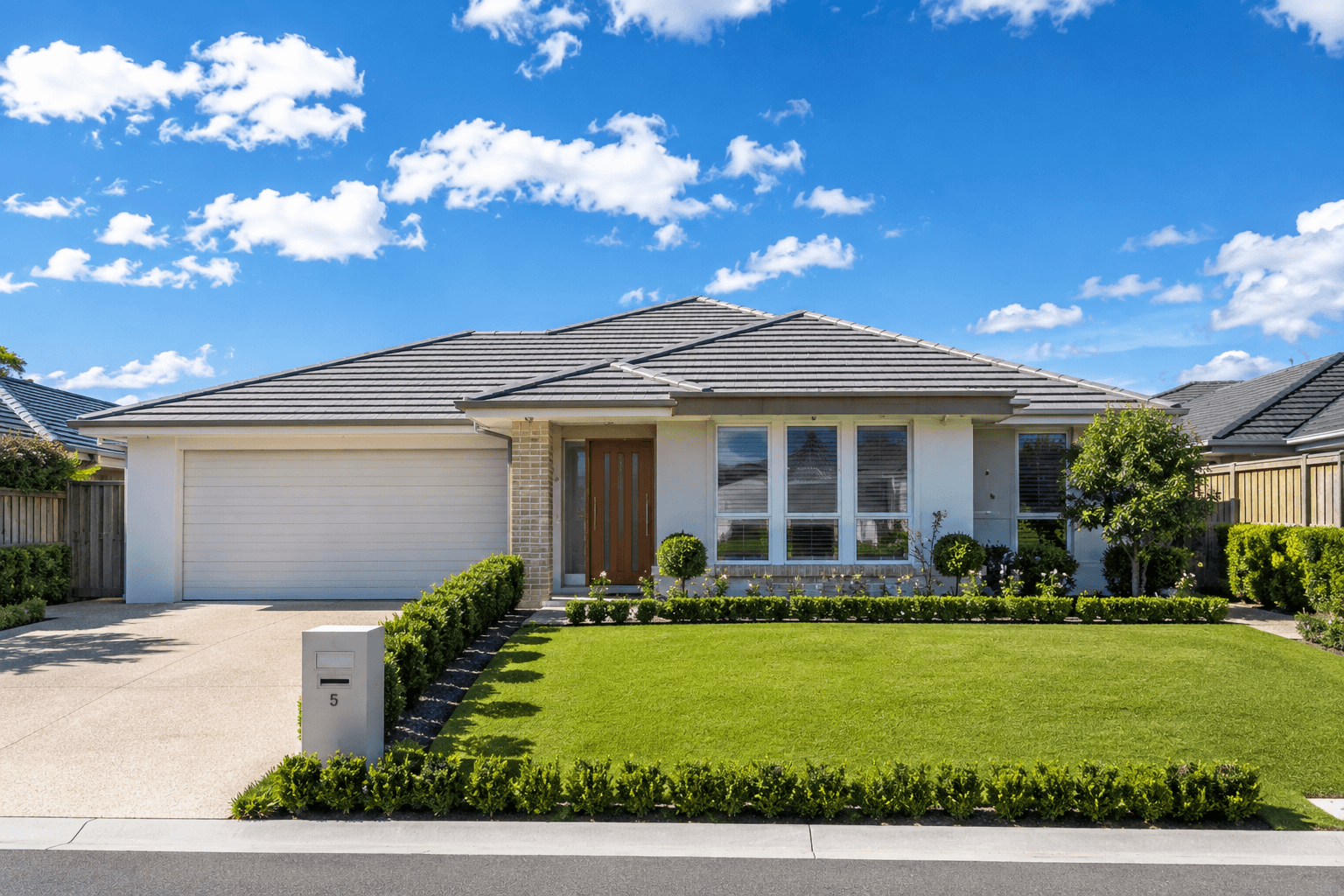
The clear blue sky replacement is the most universally applicable option — it works on any property type, in any market, at any price point. A bright blue sky makes properties look larger, cleaner, and more inviting. It's the default choice for most listing exterior shots, and the fastest way to improve an overcast photo's impact on portals.
- Universally applicable — works on any property type and size
- Makes facades look brighter, cleaner, and more appealing on portals
- Available with soft white clouds for a natural, balanced look
Golden Hour Sky for
Lifestyle and Premium Properties
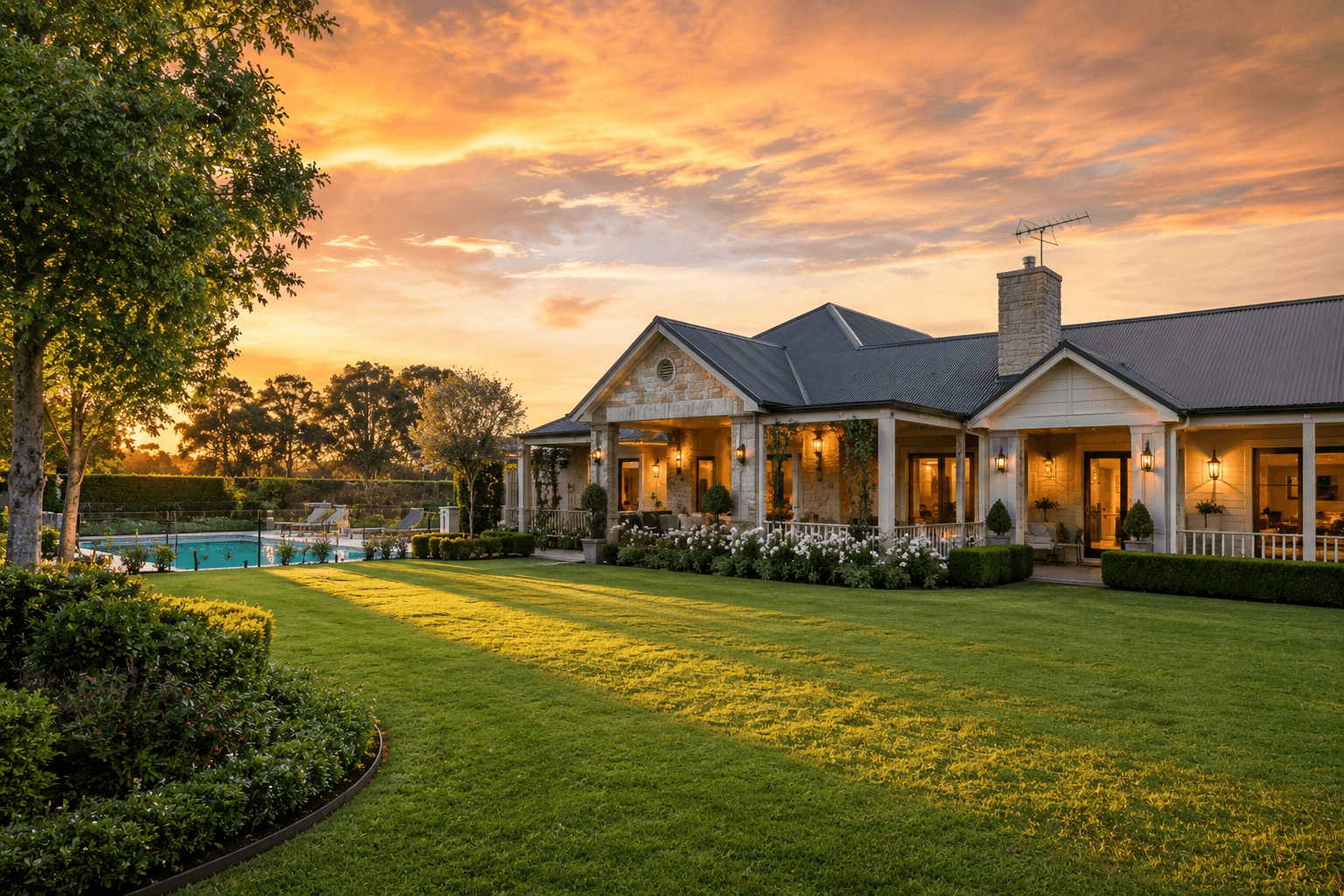
For lifestyle properties, luxury homes, and anything with outdoor entertaining areas, a warm golden-hour sky creates an aspirational, emotional quality that a plain blue sky doesn't. It suggests evening warmth, outdoor living, and the kind of property people dream about owning. Combined with the enhanced kerb appeal, it drives higher click-through rates on premium listings.
- Warm amber and gold tones evoke lifestyle and aspiration
- Works especially well on homes with pools, gardens, or outdoor living areas
- Creates a premium feel for listings targeting lifestyle buyers
AI Sky Cleanup for Every Property Photo
Overcast listings, rental property photos, commercial exteriors — explore the full Homai toolkit to make every exterior shot look its best.
Frequently Asked
Questions
Yes — the edge detection is calibrated for complex property skylines including trees, TV antennas, chimneys, railings, balustrades, and irregular rooflines. In most cases, the blending is seamless and requires no manual correction.
Sky cleanup only works when there's a visible sky area in the photo. If the building fills the entire frame with no sky visible, there's nothing to replace. For those shots, the Enhance Photo tool can improve lighting and quality instead.
Yes. The AI adjusts the ground-level lighting, shadow tones, and colour temperature to match the new sky's light source. The result looks like the photo was actually taken in the new sky conditions — not like a sky layer pasted on top.
Typically under 30 seconds per photo from upload to download.
All sky styles are generated at the same output quality. The difference is aesthetic — clear blue produces a clean, bright look; golden hour creates a warmer, more aspirational feel. The choice depends on the property type and target buyer.
Explore all Homai AI tools
Every tool works on your existing listing photos — no new photography required.
Four simple steps to stage, redesign,
or transform any property
Upload any property photo and get a professional staging, redesign, or marketing result in under 60 seconds.
Upload your photo
Any room, exterior, floor plan, or sketch — JPG, PNG, or WEBP. Works with existing listing photography or smartphone shots.
- Works on rooms, exteriors, floor plans, and design sketches
- No special equipment — phone camera quality is fine
💡 For best results: well-lit spaces with a straight-on camera angle. Avoid heavy shadows or fish-eye lenses.

Choose your style or settings
Select your design style, tone, or output preferences. Each tool has its own options — staging style, colour, dusk intensity, or copy tone.
- 37+ staging and design styles available across tools
- Settings are tailored to each tool's specific output type

AI generates your result
The AI processes your input and delivers a high-resolution result in under 60 seconds. No manual editing or design experience required.
- Results in under 60 seconds — faster than any manual process
- High-resolution output — no editing or touch-up required

Download and use immediately
Your result is ready to download at full resolution. Publish directly to property portals, social media, client presentations, or print collateral.
- Full-resolution download — portal and print ready
- Use across listings, social media, brochures, and client presentations
