Artificial Intelligence Interior Design
AI house design tool. Bedroom decor design, living room design decoration, house design interior — artificial intelligence transforms any room in 37+ design styles in under 60 seconds. No moving furniture, no renovation, no stylists required.
Artificial intelligence decoration for any room — transform furniture, finishes, and décor with AI while keeping the exact architecture and proportions of the space.
Let's configure your artificial intelligence interior design
Upload a room photo to redesign
JPG, PNG or WEBP · Works on any interior room
Plans from $49/month · Cancel anytime
Related tools you might like:
or explore our 30+ other tools to get the exact result you want
Explore our toolsRedesign Any Room in 4 Steps
Upload a room photo
Any interior room — living area, bedroom, kitchen, dining, or open-plan. JPG, PNG, or WEBP.
💡 Best results with well-lit rooms where walls and floor are visible. The AI needs to understand the room's geometry to preserve it accurately.
Choose a design style
Select from 37+ style presets — Modern, Japandi, Hamptons, Scandinavian, Industrial, Luxury, Coastal, and more. Choose the room type for accurate furnishing scale.
AI redesigns the room
Furniture, finishes, wall treatments, lighting, and accessories are all transformed to match your chosen aesthetic — architecture and proportions preserved throughout.
Download and compare
Your redesigned room is ready in under 60 seconds. Generate additional styles to compare options before downloading your preferred result.
Artificial Intelligence Interior Design —
Photorealistic, Any Room, Any Style
Artificial intelligence interior design used to require expensive software or a professional. Homai makes AI house design accessible — upload any bedroom, living room, or kitchen photo and the artificial intelligence decoration engine transforms furniture, finishes, and wall treatments into any of 37+ styles in under 60 seconds. No designer, no software, no waiting.
Bedroom Decor Design & Living Room
Decoration — Visualise Before You Buy
Bedroom decor design and living room design decoration are the highest-stakes interior decisions homeowners make — and the most expensive to get wrong. Homai's artificial intelligence home design tool lets you test any bedroom or living room style from a photo of your actual space. See exactly how your room looks in Japandi, Hamptons, Modern, or Coastal before buying a single piece of furniture.
House Design Interior —
37+ Styles from One Photo
Upload a single photo and generate your house design in multiple interior styles simultaneously — Modern, Hamptons, Japandi, Coastal, Industrial, Art Deco. Each variation uses Homai's artificial intelligence decoration engine to comprehensively replace furniture, finishes, and accessories while preserving the room's exact architecture. The fastest way to explore interior design directions before making any investment.
AI Interior Redesign vs Physical Styling or Staging
Why agents and designers use Homai to show design potential
Every Design Style,
Any Room
See how AI Interior Redesign transforms the same room in different styles — all from a single photo upload.
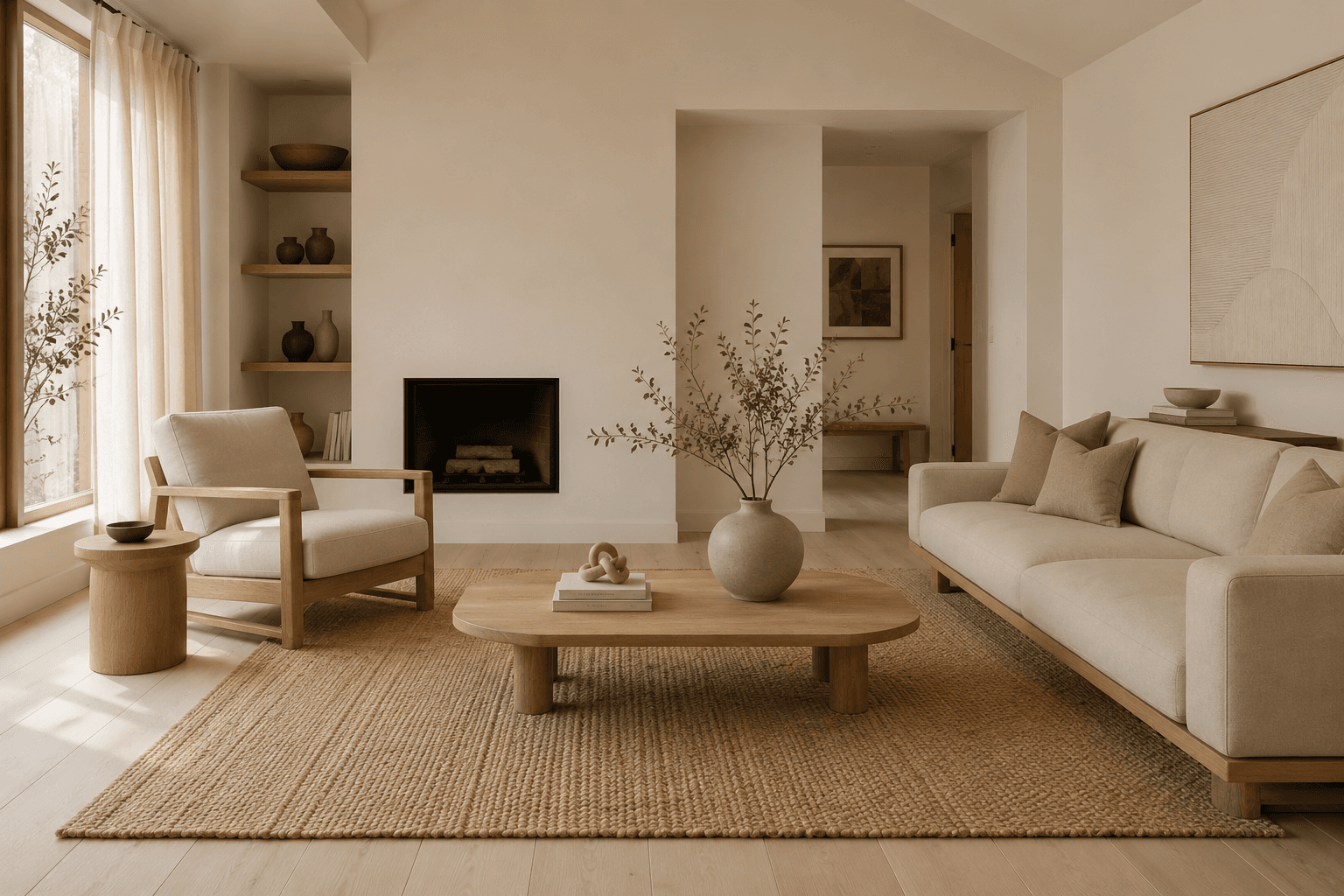
Japandi and Scandinavian for
Contemporary Buyer Appeal
Japandi and Scandinavian styles consistently perform well with contemporary buyers — clean lines, natural materials, warm neutrals, and intentional minimalism signal quality and calm. AI redesign applies these aesthetics comprehensively: furniture, textiles, wall treatments, and lighting all reflect the style. The result is the kind of interior that gets saved on listing portals and shared in buyer group chats.
- Clean lines, natural wood tones, and restrained colour palette
- Works especially well for apartments, townhouses, and contemporary homes
- Generates instantly — test multiple Japandi/Scandi variations to find the best fit
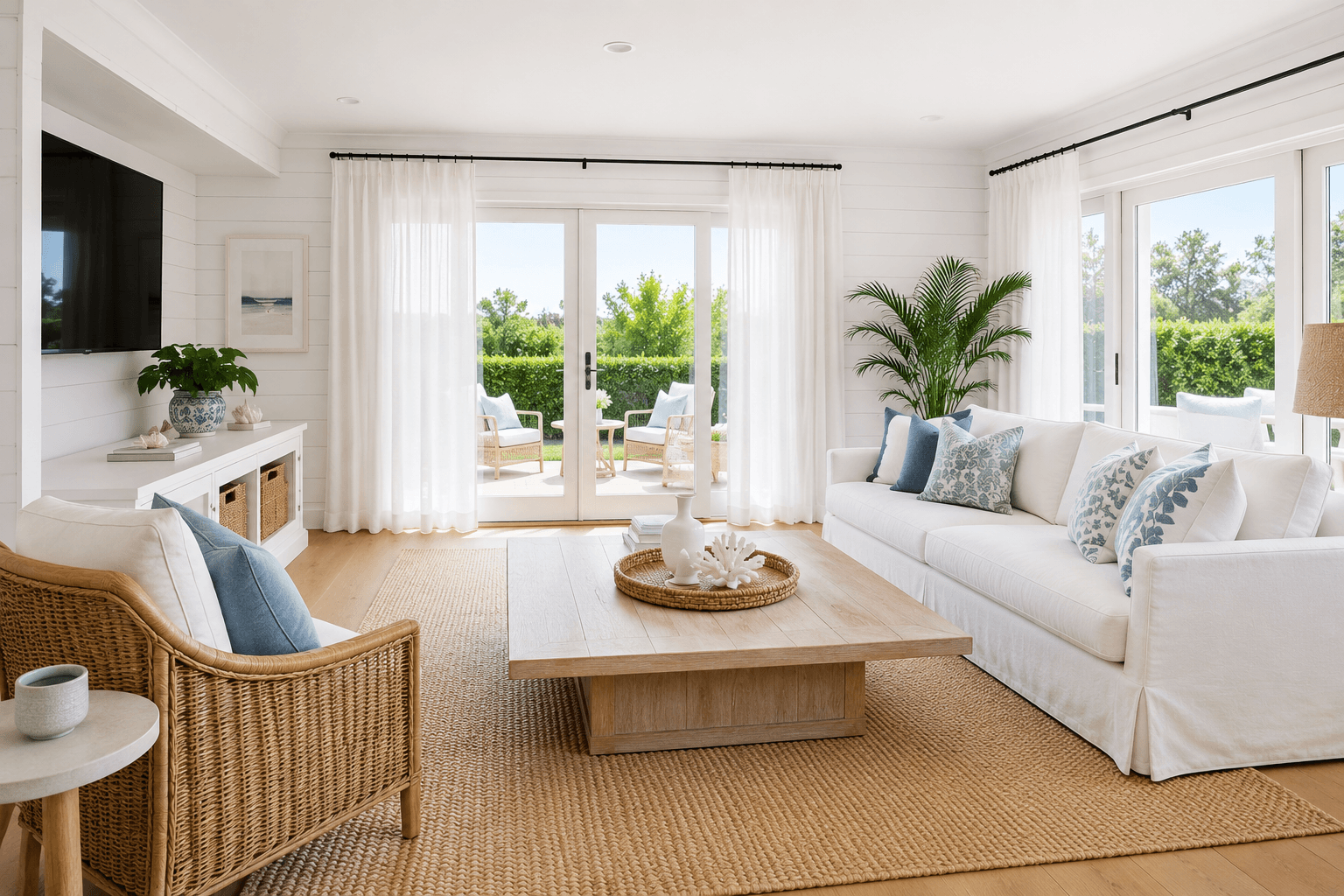
Hamptons for
Family and Lifestyle Properties
Hamptons is one of the most consistently aspirational styles in residential real estate — coastal whites, warm timbers, layered textiles, and a relaxed formality that appeals to family buyers. AI Interior Redesign applies the full Hamptons aesthetic — not just white walls — changing furniture profiles, fabric choices, and decorative elements to create the complete lifestyle image that moves listings.
- White and soft neutral palette with warm timber and rattan accents
- Works on any room type — living, dining, bedroom, and master ensuite
- Particularly effective for beachside, waterfront, and family-oriented properties
Artificial Intelligence Interior Design for Any Room
Bedroom decor design, living room design decoration, house design interior, kitchen styling — artificial intelligence home design for any room type. Explore the full Homai toolkit.
Frequently Asked
Questions
Yes — architecture preservation is a core feature. The AI detects and locks walls, ceilings, windows, doors, and structural elements, then redesigns only the furniture, finishes, and décor within that fixed geometry. The room will look exactly as large (or small) as it actually is.
Virtual Staging is designed for empty rooms — it furnishes a bare space. Interior Redesign transforms an already-furnished room — completely changing its aesthetic without needing it to be empty first. If your room has existing furniture, Interior Redesign is the right tool.
Yes — you can generate the same room in Japandi, Hamptons, Modern, and other styles by applying each style to the same uploaded photo. Each generation uses 1 credit. This lets you compare multiple aesthetics before deciding which to use for the listing.
All interior room types — living rooms, bedrooms, dining areas, kitchens, home offices, open-plan spaces, and more. Select the room type when generating for the most accurately scaled furnishing.
Yes — output is delivered at full resolution matching your original photo, suitable for listing portal upload, print brochures, and digital marketing. The results are photorealistic, not CGI-style renders.
Explore all Homai AI tools
Every tool works on your existing listing photos — no new photography required.
Four simple steps to stage, redesign,
or transform any property
Upload any property photo and get a professional staging, redesign, or marketing result in under 60 seconds.
Upload your photo
Any room, exterior, floor plan, or sketch — JPG, PNG, or WEBP. Works with existing listing photography or smartphone shots.
- Works on rooms, exteriors, floor plans, and design sketches
- No special equipment — phone camera quality is fine
💡 For best results: well-lit spaces with a straight-on camera angle. Avoid heavy shadows or fish-eye lenses.

Choose your style or settings
Select your design style, tone, or output preferences. Each tool has its own options — staging style, colour, dusk intensity, or copy tone.
- 37+ staging and design styles available across tools
- Settings are tailored to each tool's specific output type

AI generates your result
The AI processes your input and delivers a high-resolution result in under 60 seconds. No manual editing or design experience required.
- Results in under 60 seconds — faster than any manual process
- High-resolution output — no editing or touch-up required

Download and use immediately
Your result is ready to download at full resolution. Publish directly to property portals, social media, client presentations, or print collateral.
- Full-resolution download — portal and print ready
- Use across listings, social media, brochures, and client presentations
