AI Chat to Design
Describe your interior design vision in plain English — colours, furniture, style, mood — and AI stages your room exactly to your specification. No design jargon, no preset menus, just your words.
Design by description — type what you want and AI stages the room to your exact brief. The more specific you are, the more precisely it executes.
Let's configure your chat to design
Plans from $49/month · Cancel anytime
Related tools you might like:
or explore our 30+ other tools to get the exact result you want
Explore our toolsDesign Any Room From a Description in 4 Steps
Describe your vision
Write naturally — room type, style direction, colour palette, furniture pieces, materials, lighting mood. As brief or as detailed as you like.
💡 The more specific you are, the more precisely the AI executes your brief. Try naming materials ('linen sofa', 'walnut coffee table'), colours, and mood signals alongside style names.
Choose your settings
Select aspect ratio, resolution, and number of variations. No room photo needed — the AI generates a complete interior from your description alone.
AI generates the design
Your description is interpreted into a full photorealistic interior — furniture, finishes, lighting, decor, and spatial layout all generated from scratch to match your brief.
Refine or download
Download when satisfied, or refine your description and generate again. Each iteration responds to your updated brief.
Design Vocabulary Shouldn't Be
a Barrier to a Great Room
Not everyone knows the difference between Japandi and Scandinavian, or can articulate why a room feels 'right' in design terminology. But everyone can describe what they want to feel in a space — warm, calm, editorial, playful, sophisticated. Chat to Design accepts exactly that language. You don't need to know the design term; you just need to know what you want. The AI translates your natural language brief into furniture choices, material selections, and spatial arrangements that match your intention.
For Agents: Custom Staging Briefs
Targeted to Specific Buyer Profiles
Preset staging styles are useful — but the most effective staging is calibrated to the specific buyer profile for a specific listing. A family buyer and a young professional buyer respond to different aesthetics. Chat to Design lets agents write a custom staging brief for each listing — 'warm coastal family home, soft blues and whites, casual linen furniture, kids' books visible on shelves' — and receive a staged photo that targets exactly that buyer segment.
The More Specific You Are,
The Better the Result
See how different description briefs produce distinctly different staging results from the same room photo.
Evocative and Atmospheric Briefs
Translated to Design
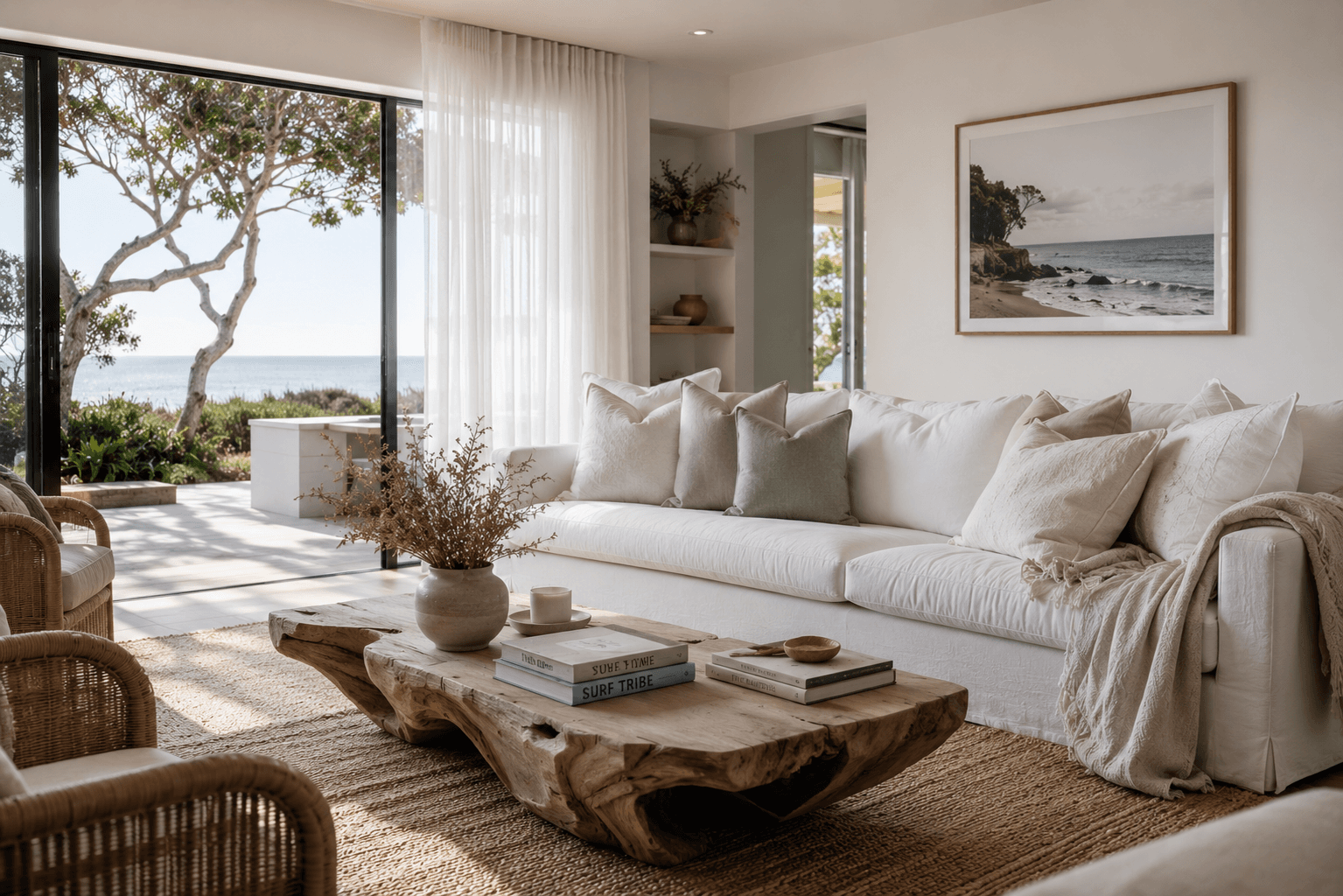
Descriptions like 'warm evening light, relaxed coastal family home, white linen sofa, driftwood details, sheer curtains, books stacked casually on a coffee table' produce staging that captures a complete lifestyle image. The AI interprets atmospheric and lifestyle cues — not just material specifications — to create rooms that tell a story.
- Describe the mood, lifestyle, and feeling you want — not just the furniture
- Lifestyle signals ('casual', 'editorial', 'family', 'aspirational') shape the entire result
- Works for any buyer demographic — from young professionals to family buyers
Specific Material and Detail Briefs
Executed Precisely
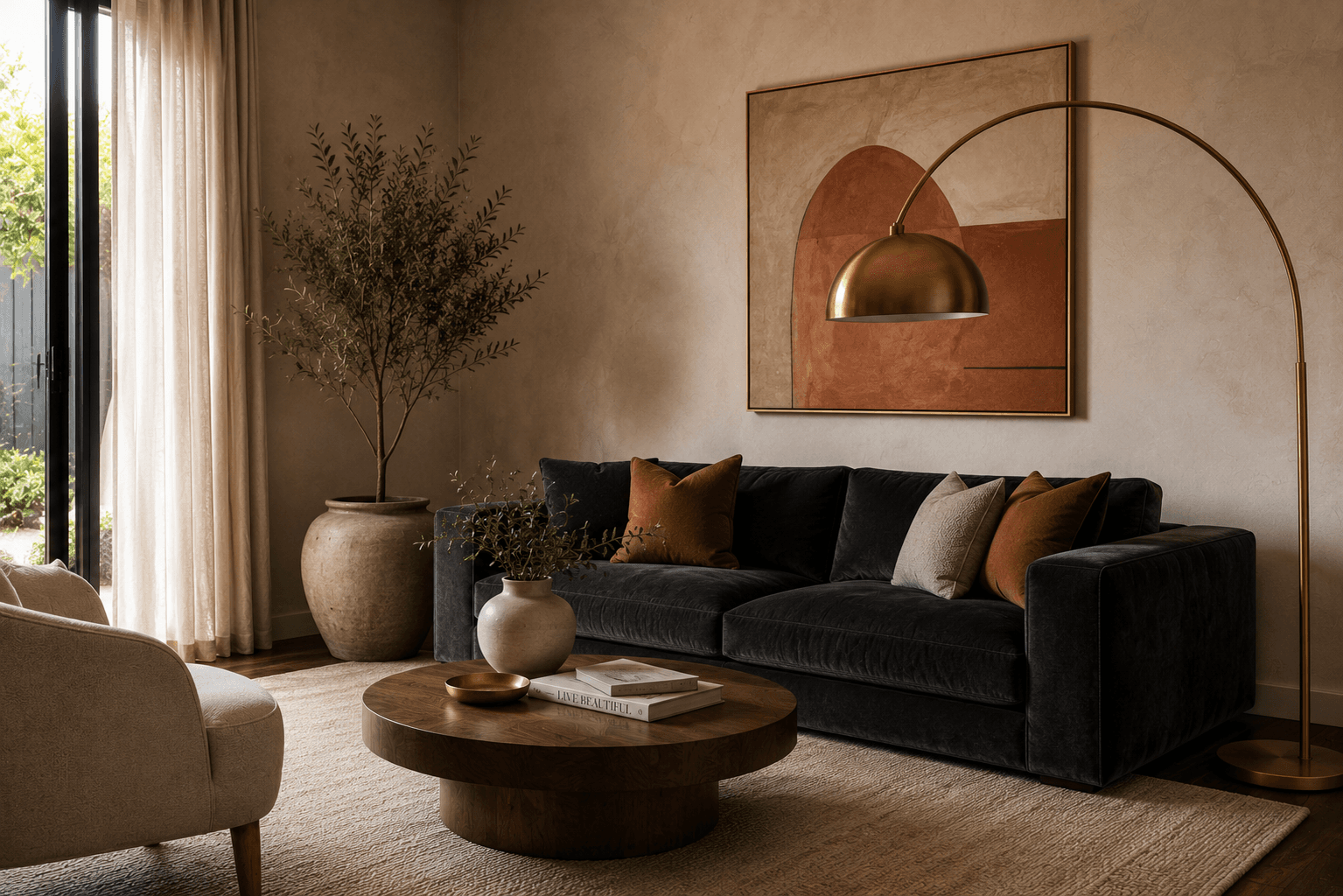
Descriptions like 'charcoal velvet sofa, warm walnut coffee table, brass floor lamp, cream plaster walls, large abstract canvas, minimal accessories' produce staging that matches the material specification closely. The more specific you are about furniture, materials, and finishes, the more precisely the result reflects your brief.
- Name specific materials — velvet, linen, walnut, marble, brass — for precise interpretation
- Specify furniture pieces — 'reading chair', 'round dining table', 'floating shelves'
- Describe accessories and accents — 'indoor plants', 'stack of books', 'gallery wall'
AI Design Tools for Every Vision
Chat descriptions, inspiration transfer, preset styles, and full virtual staging — explore the full Homai toolkit for every interior design approach.
Frequently Asked
Questions
The more specific, the better. Vague descriptions like 'modern' produce acceptable results but less distinctive staging. Specific briefs like 'warm Japandi lounge room — low timber furniture, textured linen sofa, brass pendant, indoor fig, minimal accessories' produce much more targeted results. Include style, colour palette, key furniture pieces, materials, and mood signals.
Yes — use the same room photo and refine your description. Adding more specifics, adjusting the mood direction, or naming elements you want added or removed will produce different results. Most users reach a satisfying result within 2–3 iterations.
Interior Redesign uses preset style names (Modern, Japandi, Hamptons). Chat to Design accepts free-form text descriptions — giving you full control to specify exactly what you want without being constrained by named style categories.
Yes — you can upload an empty room photo and describe the furnished outcome, effectively using it as a text-driven virtual staging tool. This is one of the most powerful use cases for custom buyer-targeted listing presentations.
Explore all Homai AI tools
Every tool works on your existing listing photos — no new photography required.
Four simple steps to stage, redesign,
or transform any property
Upload any property photo and get a professional staging, redesign, or marketing result in under 60 seconds.
Upload your photo
Any room, exterior, floor plan, or sketch — JPG, PNG, or WEBP. Works with existing listing photography or smartphone shots.
- Works on rooms, exteriors, floor plans, and design sketches
- No special equipment — phone camera quality is fine
💡 For best results: well-lit spaces with a straight-on camera angle. Avoid heavy shadows or fish-eye lenses.

Choose your style or settings
Select your design style, tone, or output preferences. Each tool has its own options — staging style, colour, dusk intensity, or copy tone.
- 37+ staging and design styles available across tools
- Settings are tailored to each tool's specific output type

AI generates your result
The AI processes your input and delivers a high-resolution result in under 60 seconds. No manual editing or design experience required.
- Results in under 60 seconds — faster than any manual process
- High-resolution output — no editing or touch-up required

Download and use immediately
Your result is ready to download at full resolution. Publish directly to property portals, social media, client presentations, or print collateral.
- Full-resolution download — portal and print ready
- Use across listings, social media, brochures, and client presentations
