AI Day to Dusk
Convert any daytime exterior photo into a photorealistic dusk or twilight shot — warm window lighting, golden-hour sky, dusk-adjusted landscape — in under 60 seconds. No reshoot required.
Twilight photos consistently outperform daytime shots — generate professional dusk photography from any existing exterior image without rebooking or waiting for perfect weather.
Let's configure your day to dusk
Upload a daytime exterior photo
JPG, PNG or WEBP · Works best on exterior shots with visible sky
Plans from $49/month · Cancel anytime
Related tools you might like:
or explore our 30+ other tools to get the exact result you want
Explore our toolsConvert Any Daytime Photo to Dusk in 4 Steps
Upload an exterior photo
Any exterior shot — street view, front elevation, backyard, or side view. JPG, PNG, or WEBP.
💡 Best results: photo taken after golden hour or midday when sky is bright. Avoid photos taken in heavy overcast or rain.
Choose your dusk mood
Select from golden hour warmth, deep twilight, or blue hour — choose the atmosphere that best matches the property's character.
AI applies the conversion
The sky is replaced, window lighting added, landscape lighting adjusted, and shadows softened — all automatically for a cohesive, natural result.
Download your dusk shot
A portal-ready high-resolution dusk photo delivered in under 60 seconds. Ready for immediate listing use.
Twilight Photography That
Drives More Clicks and Enquiries
Twilight and dusk exterior photos are consistently among the most clicked and saved listing images on every major real estate portal. Warm lighting, glowing windows, and a colourful sky create an aspirational, lifestyle-oriented feeling that daytime photos rarely match. But scheduling and executing a twilight shoot adds cost, requires perfect timing, and is heavily weather-dependent. Homai's Day to Dusk tool delivers the same impact from any existing exterior photo.
How AI Converts Day to Dusk —
Sky, Lighting, and Landscape in One Pass
The AI processes three elements simultaneously: it replaces the sky with a photorealistic dusk gradient calibrated to your chosen mood; adds warm interior lighting visible through windows; and adjusts the ground-level lighting, shadows, and landscape saturation to match the twilight environment. The result is cohesive and natural — not a simple sky swap with mismatched ground lighting.
Never Let a Cloudy Shoot Day
Ruin a Hero Shot Again
In many markets, overcast shoot days are more common than sunny ones. A single grey exterior photo can undermine an otherwise excellent marketing campaign. With Day to Dusk, any daytime exterior — even one shot on an overcast afternoon — can become a warm, aspirational twilight hero shot in under 60 seconds. Offer it as a standard add-on to every listing package.
AI Day to Dusk vs Hiring a Twilight Photographer
See why agents and photographers use Homai for twilight shots
From Flat Daytime to
Stunning Twilight Hero Shot
See how Homai transforms ordinary daytime exterior photos into aspirational dusk imagery — in under 60 seconds.
Golden Hour That
Makes Buyers Stop Scrolling
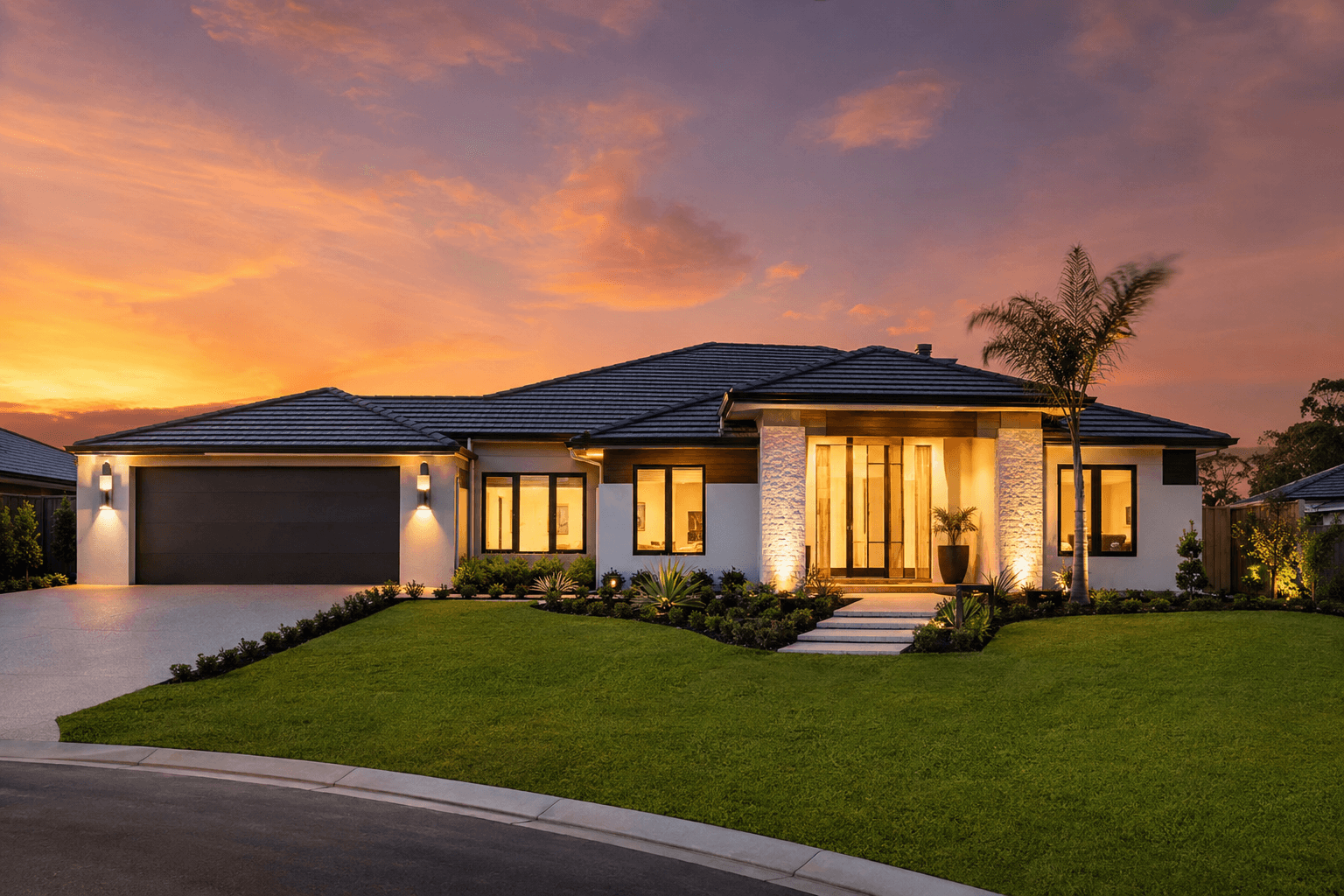
The same property. The same photo angle. Just converted from a flat midday shot to a warm golden-hour dusk — sky replaced, windows lit, landscape saturation adjusted. The result is the kind of hero shot that gets pinned, saved, and clicked on listing portals. Twilight photos create an emotional response that daytime exterior shots rarely achieve.
- Warm golden-hour gradient replaces flat or overcast daytime sky
- Window lighting added for an inviting, lived-in feel
- Portal-ready result in under 60 seconds
Deep Twilight for
Prestige and Premium Listings
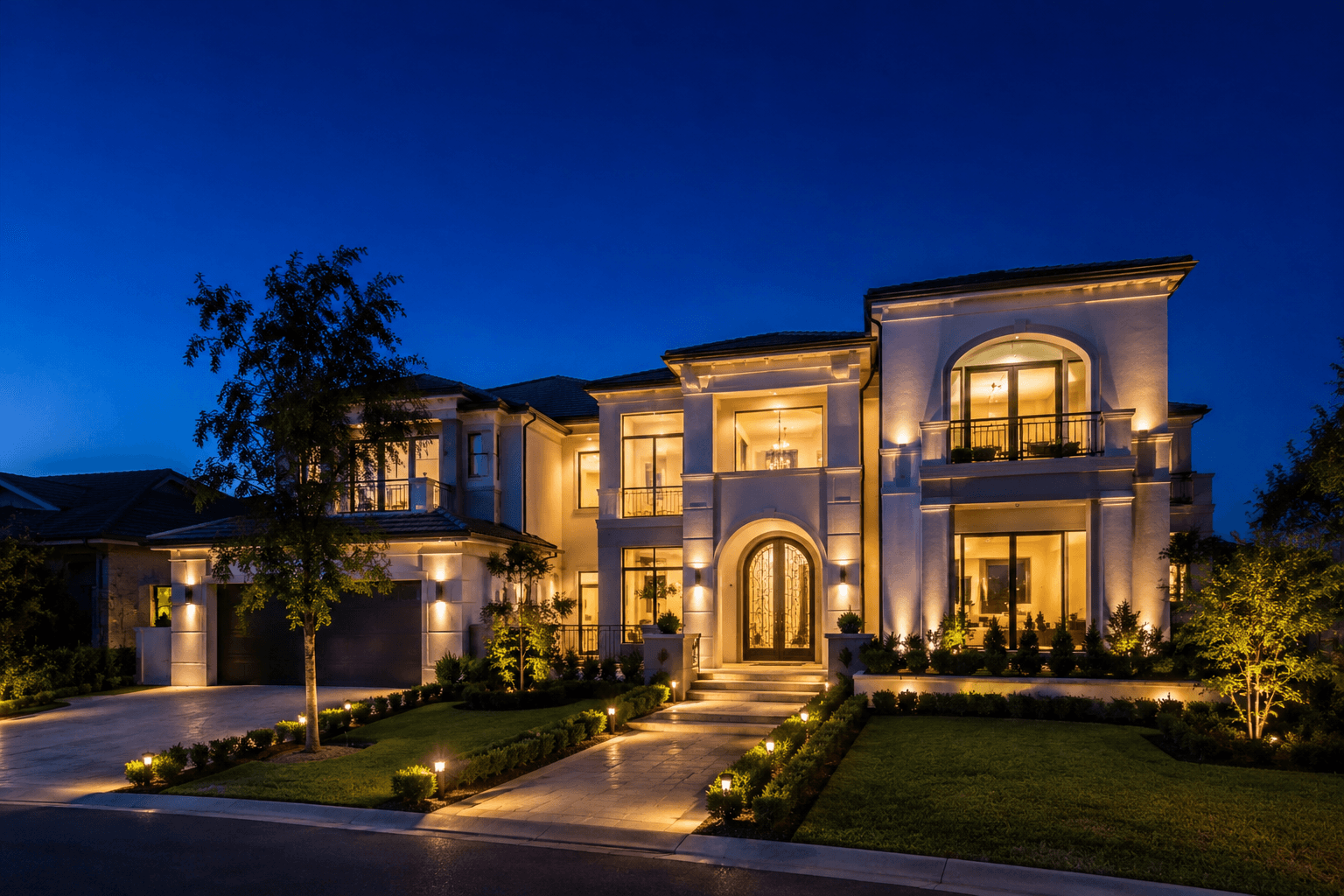
Deep twilight — the blue-hour moment after sunset — is the most aspirational look in real estate photography. Dramatic sky gradients, crisp architectural lines illuminated by warm window glow, and a quiet, premium atmosphere. Previously only achievable with perfect timing and conditions. Now available from any existing exterior photo in under a minute.
- Deep blue-hour sky with warm accent tones from interior lighting
- Crisp exterior lighting preserves architectural details at dusk
- Perfect for prestige, waterfront, and architectural properties
AI Day to Dusk for Every Exterior Type
Residential facades, luxury estates, investment units, commercial frontages — explore the full Homai toolkit to make every exterior photo look its absolute best.
Frequently Asked
Questions
Yes — in fact, overcast day photos often produce the most dramatic dusk results because the flat lighting makes the conversion more striking. The AI replaces the sky and adjusts the ground lighting regardless of original sky conditions.
Any exterior angle with a visible sky works — front elevation, street view, backyard, or side view. The more sky visible in the photo, the more impactful the conversion. Angles where the building fills the whole frame with no visible sky will have a more subtle effect.
Yes. The AI detects the positions and shapes of windows in the image and adds warm interior lighting that respects the window geometry. It's calibrated to look like interior lights being on at dusk — not a flat yellow overlay.
You can choose from golden hour (warm amber tones at last light), deep twilight (dramatic blue-hour with warm accents), sunset (stronger orange-pink palette), and blue hour (cool blue tones with warm window contrast).
Yes — the tool works on any exterior photo, including commercial, retail, industrial, and mixed-use properties. Results look particularly strong on properties with large window areas.
Yes. The output is delivered at full resolution matching your original photo — suitable for portal upload, social media, and A3+ print brochures.
Explore all Homai AI tools
Every tool works on your existing listing photos — no new photography required.
Four simple steps to stage, redesign,
or transform any property
Upload any property photo and get a professional staging, redesign, or marketing result in under 60 seconds.
Upload your photo
Any room, exterior, floor plan, or sketch — JPG, PNG, or WEBP. Works with existing listing photography or smartphone shots.
- Works on rooms, exteriors, floor plans, and design sketches
- No special equipment — phone camera quality is fine
💡 For best results: well-lit spaces with a straight-on camera angle. Avoid heavy shadows or fish-eye lenses.

Choose your style or settings
Select your design style, tone, or output preferences. Each tool has its own options — staging style, colour, dusk intensity, or copy tone.
- 37+ staging and design styles available across tools
- Settings are tailored to each tool's specific output type

AI generates your result
The AI processes your input and delivers a high-resolution result in under 60 seconds. No manual editing or design experience required.
- Results in under 60 seconds — faster than any manual process
- High-resolution output — no editing or touch-up required

Download and use immediately
Your result is ready to download at full resolution. Publish directly to property portals, social media, client presentations, or print collateral.
- Full-resolution download — portal and print ready
- Use across listings, social media, brochures, and client presentations
