AI Season Swap
Replace brown winter lawns, bare trees, and off-season gardens with lush summer green or spring blooms in any exterior property photo — in under 60 seconds. No reshooting, no waiting for the right season.
Never let the season ruin a listing photo — swap any exterior to summer green, spring bloom, or golden autumn regardless of when the photo was taken.
Let's configure your season swap
Upload an exterior photo to swap the season
JPG, PNG or WEBP · Front yard, backyard, or garden area
Plans from $49/month · Cancel anytime
Related tools you might like:
or explore our 30+ other tools to get the exact result you want
Explore our toolsSwap Any Season in 4 Steps
Upload an exterior photo
Any exterior shot — front garden, backyard, street view. JPG, PNG, or WEBP. Works on any current seasonal state.
💡 Works best on photos where lawns, gardens, and trees are visible. Properties with minimal outdoor area produce subtler seasonal changes.
Choose a target season
Summer green, spring bloom, autumn warmth, or winter clean — select the seasonal treatment that best presents the property.
AI swaps the season
Lawns, trees, plants, sky tones, and ground conditions are all adjusted for a cohesive, photorealistic seasonal environment.
Download and publish
High-resolution result ready for listing portals, vendor presentations, and social media immediately.
Off-Season Photos Are One of the Most
Preventable Listing Mistakes
A property photographed in midwinter — brown lawns, bare deciduous trees, grey sky — can look dramatically different from the same property in summer. If the photos go live as-is, buyers see a property that looks cold, bare, and uninviting, even if it genuinely has attractive gardens in season. Season Swap is the fastest fix: replace the off-season appearance with a summer or spring version of the same photo, without any additional photography.
One Shoot, Four Seasonal
Marketing Campaigns
With Season Swap, a single set of exterior listing photos becomes four different seasonal presentations. A well-timed summer or spring swap creates the hero listing photo. An autumn version suits lifestyle social content. A clean winter version suits a different buyer segment. From a single photography session, agents can generate seasonal variations that extend the listing's visual marketing across months without additional shoots.
From Off-Season to
Best-Season in Seconds
See how AI season swap transforms exterior photos — from brown winter to vibrant summer, or bare autumn to fresh spring.
Winter to Summer —
The Most Common Transformation
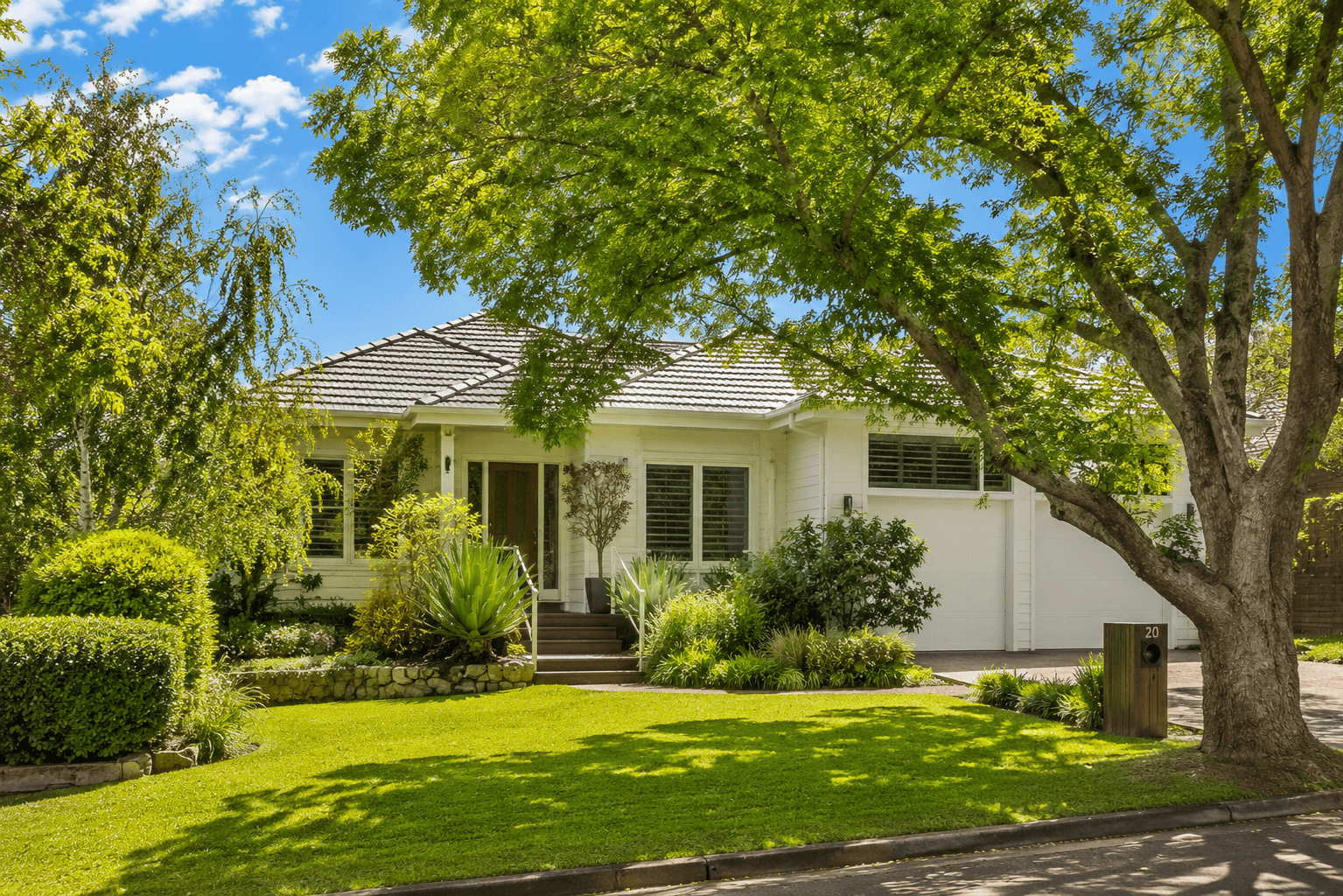
Winter is the most common season during which agents list properties, and the most damaging to outdoor presentation. Brown lawns, bare trees, and grey skies make attractive properties look uninviting. Summer swap transforms brown grass to vibrant green, adds foliage back to deciduous trees, and brightens the sky tones — producing the version of the property that buyers see in person from spring onwards.
- Brown and dead lawns replaced with healthy, season-appropriate green
- Bare deciduous trees given back their summer foliage coverage
- Sky tones brightened to match a clear summer day
Spring Bloom for
Lifestyle and Aspirational Properties
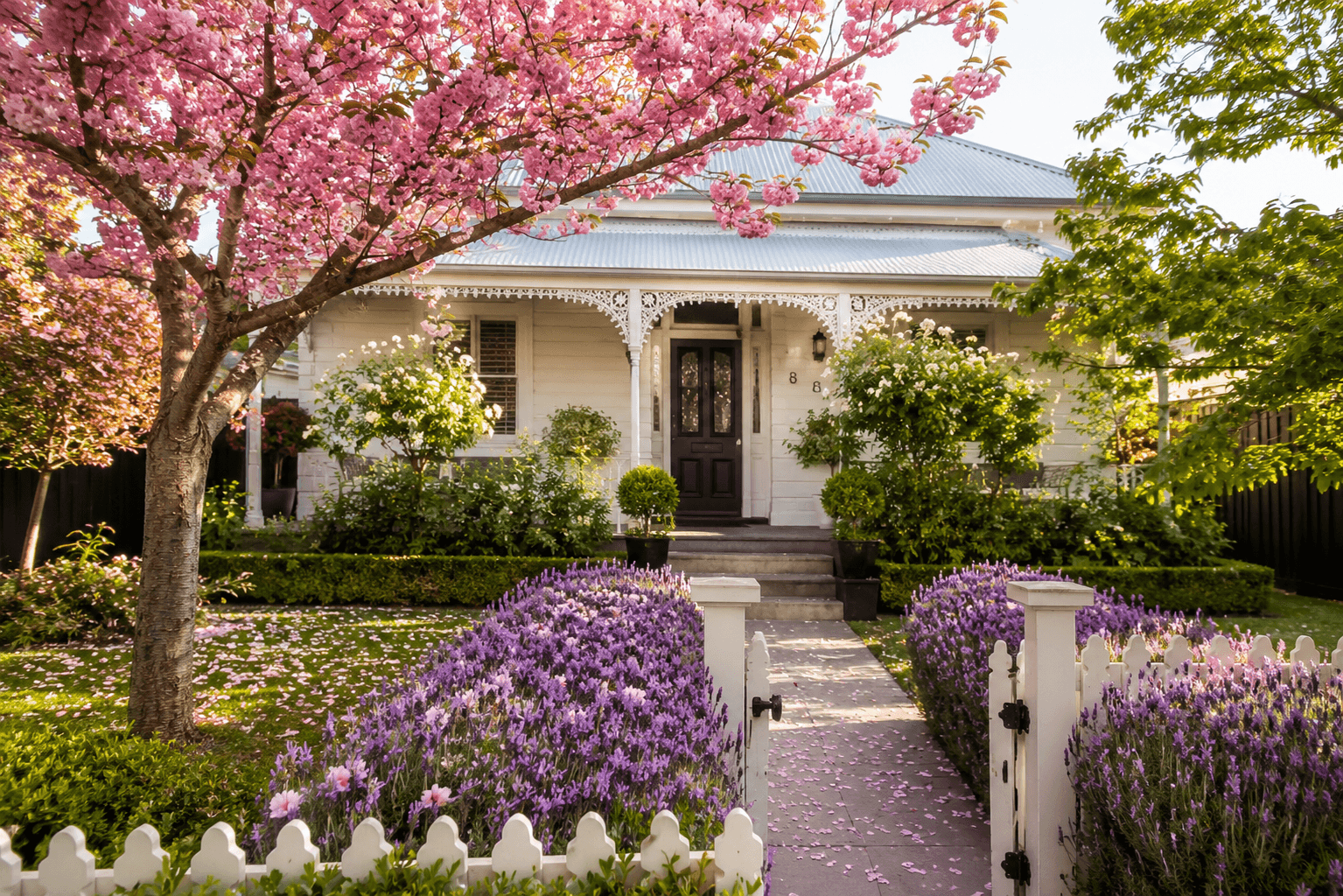
For properties where the garden is a key feature — flowering borders, mature ornamental trees, or cottage-style planting — spring is often the best season for marketing appeal. A spring swap adds fresh foliage, flowering accents, and bright morning light to any exterior photo, creating the kind of aspirational garden aesthetic that resonates with lifestyle buyers even when the photo was taken mid-autumn.
- Flowering borders and blooming trees added for a bright, optimistic spring feel
- Works especially well for cottage-style and heritage properties with formal gardens
- Soft morning light tones applied alongside seasonal planting for consistency
AI Exterior Photo Tools for Every Season
Off-season photos, bare gardens, overcast skies — explore the full Homai toolkit to present any exterior listing at its best regardless of conditions.
Frequently Asked
Questions
Yes — the seasonal swap applies comprehensively to the outdoor environment: lawns, trees, plants, ground conditions, and sky tones are all adjusted together for a cohesive seasonal result. Summer swap produces bright sky tones; autumn produces warmer light.
The season swap is most impactful when lawns, trees, or garden beds occupy a meaningful portion of the frame. Properties where the building fills the entire frame with minimal outdoor area visible will see more subtle results.
Yes — generate summer, spring, and autumn versions from the same photo by applying each season separately. Each generation uses 1 credit. This gives you a library of seasonal variants from a single photo session.
Best practice is to disclose seasonally edited photos in listing descriptions, particularly if they misrepresent the property's current condition. Most agents use a brief disclosure such as 'Garden photos include virtual seasonal enhancement.' Check your local real estate marketing guidelines.
Typically under 60 seconds from upload to download.
Explore all Homai AI tools
Every tool works on your existing listing photos — no new photography required.
Four simple steps to stage, redesign,
or transform any property
Upload any property photo and get a professional staging, redesign, or marketing result in under 60 seconds.
Upload your photo
Any room, exterior, floor plan, or sketch — JPG, PNG, or WEBP. Works with existing listing photography or smartphone shots.
- Works on rooms, exteriors, floor plans, and design sketches
- No special equipment — phone camera quality is fine
💡 For best results: well-lit spaces with a straight-on camera angle. Avoid heavy shadows or fish-eye lenses.

Choose your style or settings
Select your design style, tone, or output preferences. Each tool has its own options — staging style, colour, dusk intensity, or copy tone.
- 37+ staging and design styles available across tools
- Settings are tailored to each tool's specific output type

AI generates your result
The AI processes your input and delivers a high-resolution result in under 60 seconds. No manual editing or design experience required.
- Results in under 60 seconds — faster than any manual process
- High-resolution output — no editing or touch-up required

Download and use immediately
Your result is ready to download at full resolution. Publish directly to property portals, social media, client presentations, or print collateral.
- Full-resolution download — portal and print ready
- Use across listings, social media, brochures, and client presentations
