AI Change Surface Color
Repaint any wall, ceiling, floor, cabinet, or exterior surface with any colour — instantly. AI recolouring preserves original lighting and shadows for a completely natural, photorealistic result. No masking needed.
See the colour before you commit to it — repaint any surface in your property photo with any colour and confirm the result before buying a single pot of paint.
Let's configure your change surface color
Upload a photo with a surface to recolour
JPG, PNG or WEBP · Interior or exterior photos
Plans from $49/month · Cancel anytime
Related tools you might like:
or explore our 30+ other tools to get the exact result you want
Explore our toolsRecolour Any Surface in 4 Steps
Upload your property photo
Interior or exterior photo — any room type or surface material. JPG, PNG, or WEBP.
💡 Works best when the target surface is clearly visible and occupies a reasonable portion of the frame. Heavily shadowed or partially hidden surfaces may produce subtler results.
Select the surface to recolour
Choose the surface type — wall, ceiling, floor, cabinet, or exterior. Tap or indicate the area you want to change.
Choose your colour
Enter a hex code, choose from curated colour palettes, or describe the colour you want. The AI applies it precisely to the selected surface.
Download your result
Your photo with the new surface colour applied — original lighting, shadows, and textures fully preserved. Download and use immediately.
The Highest-ROI Pre-Sale Change
Agents Recommend — a Fresh Paint Job
Repainting is consistently one of the most cost-effective pre-sale improvements a vendor can make. But choosing the wrong colour — one that clashes with the flooring, dates the kitchen, or reads poorly under the property's lighting — costs money and time to fix. Homai's surface recolouring tool lets agents and vendors test colour options against the actual property before any paint is bought or applied, ensuring the final choice is the right one.
Photorealistic Colour Previews —
Not Flat Fills
The technical challenge with surface recolouring is maintaining the original photo's lighting conditions after the colour change. A wall doesn't have a single flat colour in a photo — it has shadows, highlights, reflections, and gradients based on how light hits it. Homai's AI recolouring understands this: it applies colour changes while preserving the original light map of the surface, producing a result that looks like the wall was actually painted — not like a flat colour was painted over the photo.
Any Surface, Any Colour,
Naturally Preserved
See how AI surface recolouring applies new colours to real property photos with original lighting intact.
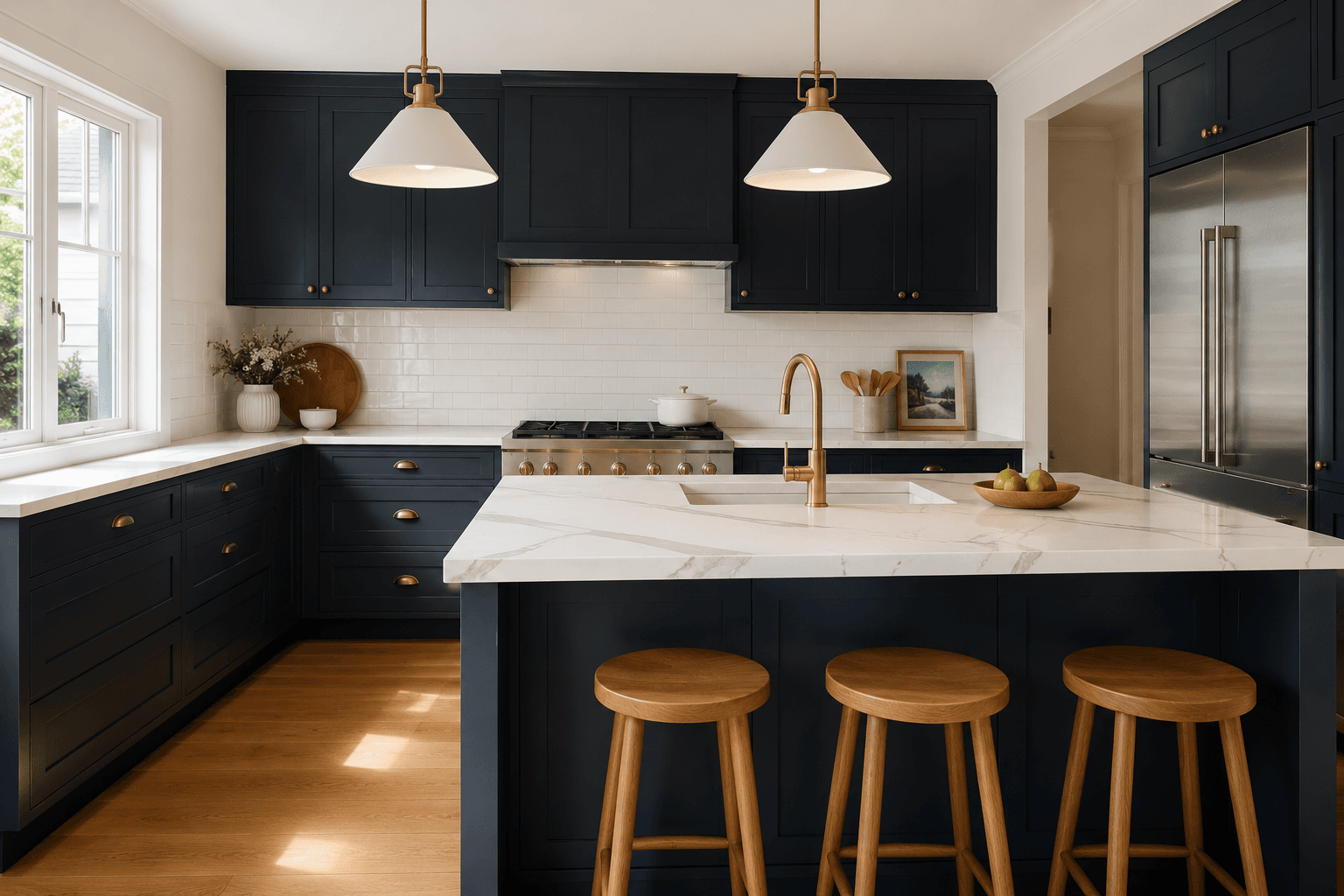
Interior Walls and Cabinetry
in Any Colour
The most common use case: changing a lounge room's wall colour from a dated cream to a contemporary warm greige, or switching kitchen cabinets from oak veneer to matte navy. The AI reads the surface's original shading and applies the new colour around the existing light map — so the result shows the colour exactly as it would appear in that room, in that light, in that photo.
- Test Dulux, Resene, or any custom hex code against your actual walls
- Kitchen cabinet recolours are among the most impactful pre-sale changes
- Results ready in 30 seconds — generate multiple colours to compare
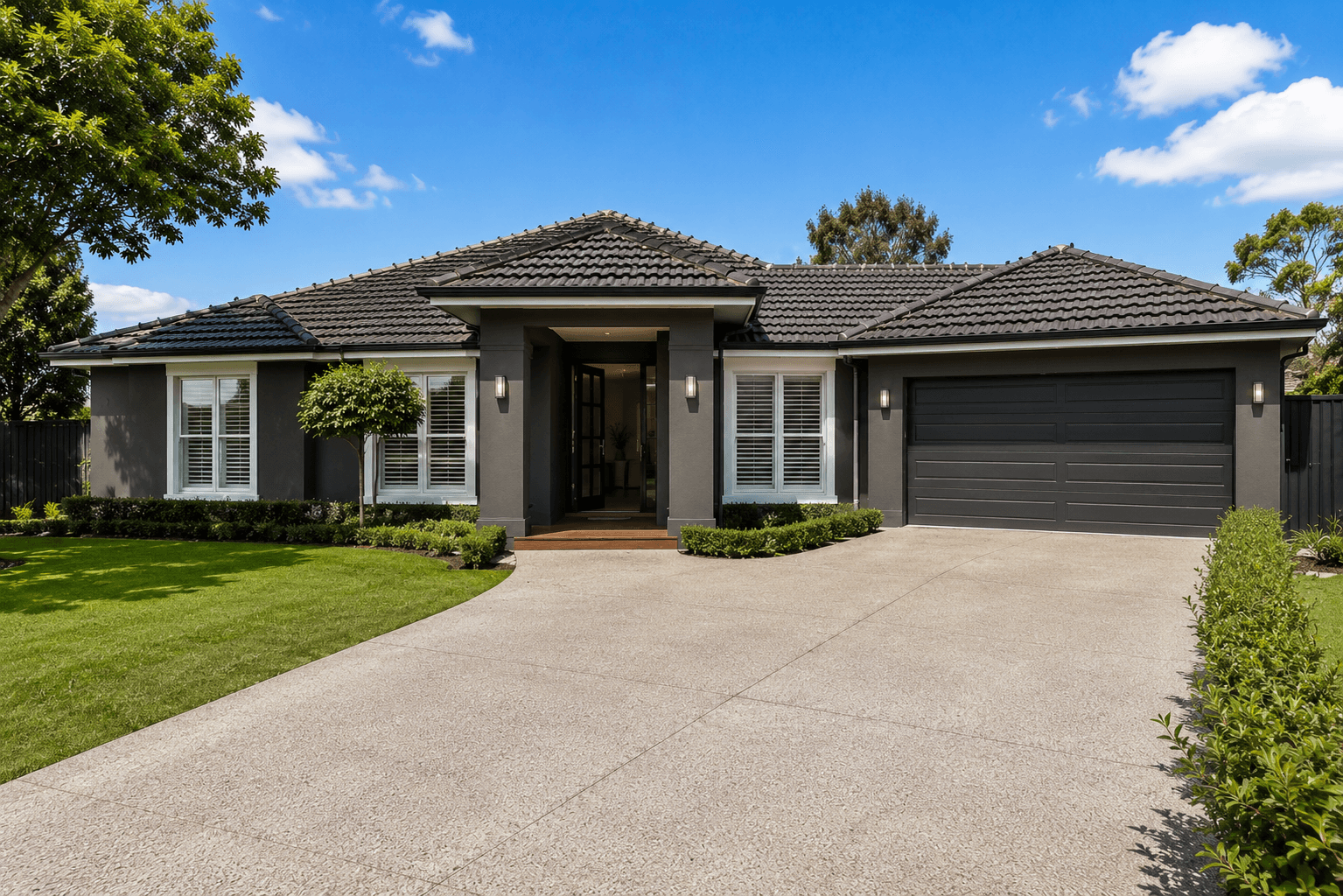
Exterior Render and Cladding
Transformed Before Painting
Repainting an exterior is a major expense — and a wrong colour choice on the facade is visible from the street for years. Before any painter is booked, use surface recolouring to test different facade colours against the actual property photo. See how Dulux Vivid White compares to a warm grey render, or how a Hamptons-style charcoal trim reads against the existing brickwork, before committing.
- Test facade colours against the actual property — not a generic house illustration
- Covers render, painted brick, weatherboard cladding, and Colorbond roofing
- Share results with the vendor to align on colour choice before engaging a painter
AI Surface Recolouring for Every Property
Interior walls, kitchen cabinets, exterior facades, floor finishes — explore the full Homai toolkit to visualise any colour change before committing.
Frequently Asked
Questions
Yes — the tool works on both interior and exterior surfaces. Exterior use cases include render, painted brick, weatherboard cladding, and trim recolouring. It's particularly useful for testing facade colour changes before engaging a painter.
You can enter any hex code directly, which covers all major paint brands including Dulux, Resene, Sherwin-Williams, and others. Most paint brand websites provide hex codes for their colours. We also offer curated palettes for common design aesthetics.
Both tools change surface colours, but they're optimised for different use cases. Change Surface Color is designed for property photos and real estate applications — walls, exteriors, cabinetry. Paint Visualizer is more consumer-oriented, focused specifically on helping homeowners visualise paint colours on their walls before purchase.
Currently each generation recolours one selected surface. For a kitchen with walls and cabinets to recolour separately, generate two passes. Each uses 1 credit.
Yes — the AI preserves the original photo's lighting, shadow, and texture map when applying the new colour. The result looks like the surface was actually painted — not like a flat colour fill was applied in Photoshop.
Explore all Homai AI tools
Every tool works on your existing listing photos — no new photography required.
Four simple steps to stage, redesign,
or transform any property
Upload any property photo and get a professional staging, redesign, or marketing result in under 60 seconds.
Upload your photo
Any room, exterior, floor plan, or sketch — JPG, PNG, or WEBP. Works with existing listing photography or smartphone shots.
- Works on rooms, exteriors, floor plans, and design sketches
- No special equipment — phone camera quality is fine
💡 For best results: well-lit spaces with a straight-on camera angle. Avoid heavy shadows or fish-eye lenses.

Choose your style or settings
Select your design style, tone, or output preferences. Each tool has its own options — staging style, colour, dusk intensity, or copy tone.
- 37+ staging and design styles available across tools
- Settings are tailored to each tool's specific output type

AI generates your result
The AI processes your input and delivers a high-resolution result in under 60 seconds. No manual editing or design experience required.
- Results in under 60 seconds — faster than any manual process
- High-resolution output — no editing or touch-up required

Download and use immediately
Your result is ready to download at full resolution. Publish directly to property portals, social media, client presentations, or print collateral.
- Full-resolution download — portal and print ready
- Use across listings, social media, brochures, and client presentations
