How to Create a Real Estate Social Media Content Calendar with AI
A step-by-step guide to building a 30-day real estate social media content calendar using AI tools — so you never run out of content ideas again and post consistently every week.
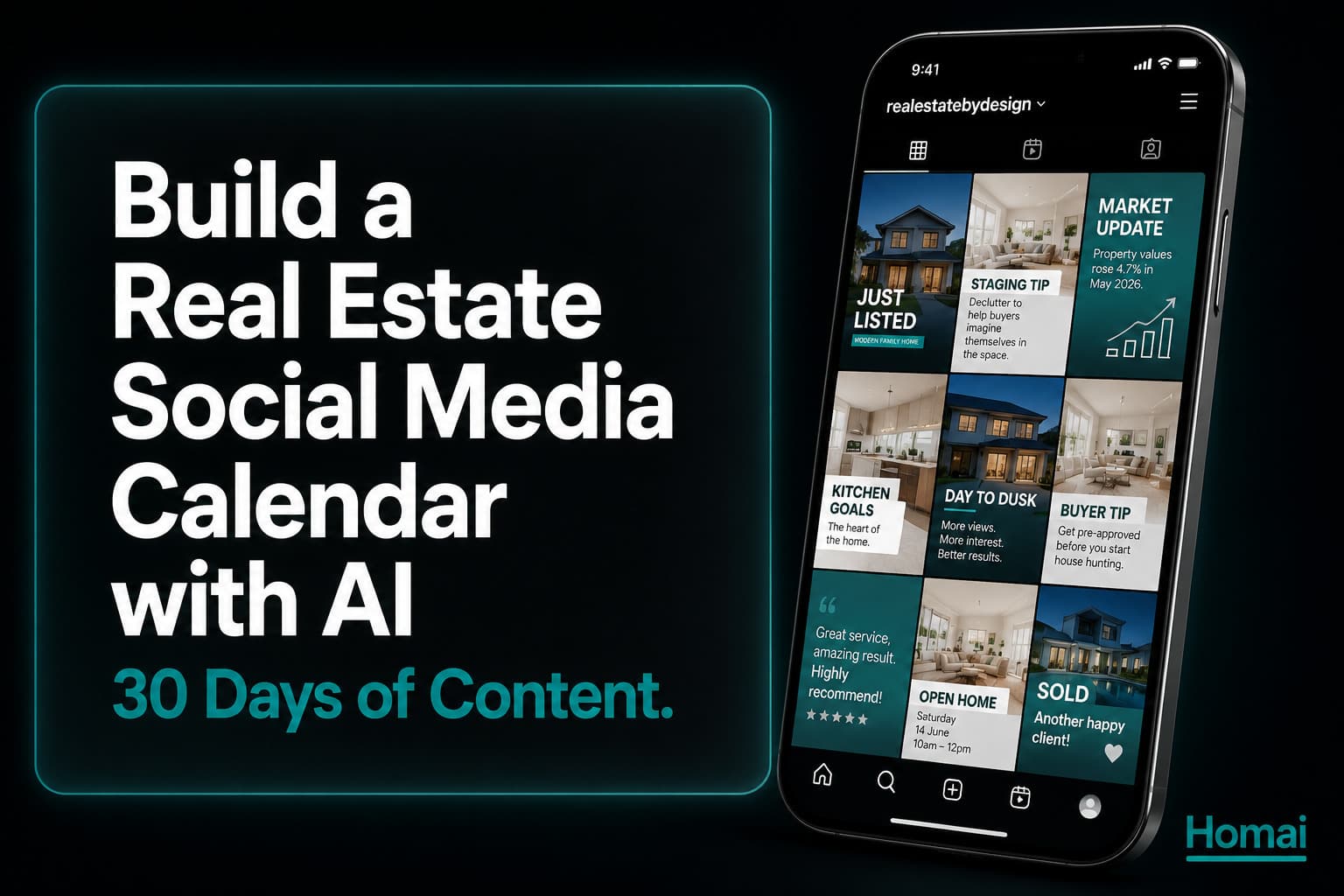
The biggest social media problem real estate agents have is not quality. It's consistency. Most agents post actively for two weeks after a social media course or a motivation spike, then gradually stop when they run out of ideas and the posts stop getting engagement.
A content calendar solves this. Not because it's a new idea, but because having content planned 30 days in advance removes the daily decision fatigue that kills most agents' social media consistency.
With AI tools, building that calendar takes about an hour. Here's exactly how.
The 5 Content Categories Every Agent Needs
Most agents only post one type of content. This is why their engagement plateaus.
A content calendar that keeps your audience engaged over 30 days needs variety. These five categories cover every type of content an agent needs:
Category 1: Listing Content — direct promotion of active listings. Cover photo, open home announcements, listing launch Reels.
Category 2: Transformation Content — before/after staging reveals, Day to Dusk reveals, AI staging process videos. The highest-engagement format for real estate.
Category 3: Educational Content — teaching something about the market or the buying/selling process. What affects property values, how to read a contract, what buyers look for. Positions you as an expert.
Category 4: Behind-the-Scenes — your daily life as an agent. The morning of a photo shoot, preparing for an open home, the AI tools you use. Creates personal connection.
Category 5: Market Commentary — specific data about your suburb or market. Recent sales, days on market trends, seasonal patterns. The content that generates the most DMs from people thinking about selling.
The recommended weekly mix:
- 2× Listing/Transformation content
- 1× Educational content
- 1× Behind-the-scenes
- 1× Market commentary
Step 1: Map Your Listing Pipeline
The calendar starts with what you know is coming in the next 30 days.
Open a spreadsheet or notes app. List:
- Active listings: what content milestones are coming? (open home, auction, price reduction, sold result)
- Upcoming listings: what's likely to be signed in the next 2–4 weeks?
- Recent results: what sold results can you post about in the next 30 days?
Each listing typically produces 6–8 pieces of listing-specific content over its campaign period. If you have 3 active listings, you have 18–24 pieces of listing content to schedule. The educational and market commentary content fills the remaining slots.
Step 2: Plan Your Weekly Content Mix
This is the weekly repeating structure that ensures variety.
| Day | Content Type | Platform |
|---|---|---|
| Monday | Market commentary or educational | LinkedIn + Instagram |
| Tuesday | Listing content or transformation reveal | Instagram + Facebook |
| Wednesday | Behind-the-scenes | Instagram Stories + TikTok |
| Thursday | Transformation Reel or video | Instagram + TikTok |
| Friday | Open home announcement (if applicable) | All platforms |
| Weekend | Engagement content (poll, question, reaction) | Instagram Stories |
Adjust the days based on when your audience is most active — use your Instagram Insights to see your specific follower activity patterns.
Step 3: Generate Content Assets with Homai
One batch session per listing produces 2–3 weeks of visual content.
For each listing in your pipeline, run one Homai batch session:
Visual assets (20–30 minutes per listing):
- Batch staging: all vacant rooms staged (2–3 minutes)
- Day to Dusk exterior (90 seconds)
- Transformation Video — before/after reveal (2–3 minutes)
- Video Flythrough — cinematic property video (2–3 minutes)
Text content (10–15 minutes per listing):
- Listing Description: generates headline + portal copy + key features
- Before/After Caption: generates transformation post copy + 28 hashtags
- Social Media Post: generates Instagram, Facebook, LinkedIn, and Pinterest posts simultaneously
- Video Script: generates voiceover script + Reel shot list
Each Homai session for one listing produces: 6 staged images + 2 videos + 4–5 platform-specific caption sets.
That's approximately 8 days of content from one 30–45 minute session.
Step 4: Write Captions in Bulk
Batch writing is dramatically more efficient than writing one caption per post at the time of posting.
Use the Homai-generated captions as starting points. Personalise in bulk — open all the generated captions at once and edit them in sequence. You're in "caption mode" for 20–30 minutes rather than context-switching every day.
Personalisation checklist for each caption:
- Add suburb/address reference (the AI can't know specific locations)
- Add any open home details (date, time)
- Add local market context (suburb-specific observation)
- Verify the tone matches the platform
The AI does 80% of the writing. You provide the 20% that's locally specific.
Step 5: Schedule Everything in Advance
The tool that makes consistency automatic.
Recommended scheduling tools:
- Meta Business Suite (free) — schedules Instagram and Facebook posts directly
- Later — good for Instagram visual calendar planning
- Buffer — cross-platform scheduling including LinkedIn and TikTok
- Hootsuite — full-featured for agents managing multiple platforms
The scheduling workflow:
- Upload all assets (staged photos, transformation videos, Flythrough videos) to your scheduling tool
- Pair each asset with its caption
- Set the post date and time
- Schedule all 30 days in one session
Time investment: approximately 2–3 hours once per month to build the full calendar. That's the entire month's social media handled in one sitting.
The 30-Day Template You Can Steal
Fill in the [brackets] with your specific content.
| Week | Mon | Tue | Wed | Thu | Fri |
|---|---|---|---|---|---|
| 1 | Market update: [suburb] | Listing launch: [address] | Behind scenes: AI staging | Transformation Reel: [address] | Open home: [date/time] |
| 2 | Educational: "What buyers look for" | Before/after: [another room] | Behind scenes: photo shoot | Day to Dusk reveal | Sold result: [address] |
| 3 | Market stats: days on market | Listing content: [new listing] | Behind scenes: open home prep | Educational: "When to sell" | Open home announcement |
| 4 | Market commentary: seasonal | Transformation: [room type] | Behind scenes: buyer feedback | Video Flythrough | [Trending/seasonal post] |
What to Do When You Have No Active Listings
This is when most agents stop posting. It's actually the most important time to maintain consistency.
Option 1: Reshare older transformations. A before/after from 6 months ago is new content to anyone who wasn't following you then. Repost with updated commentary.
Option 2: Repurpose sold properties. "This property sold in 11 days. Here's what the listing strategy looked like." Works as market commentary AND demonstrates your capability.
Option 3: Pure educational content. "The 3 things that determine how quickly a property sells." "What your suburb's sold data says about buyer demand right now." This content works year-round regardless of listing inventory.
Option 4: Market update series. A weekly or bi-weekly suburb market update — even just 2–3 paragraphs — is consistently the highest-engagement content type for generating inbound DMs from people thinking about selling.
💡 Agent Takeaway: The agents who generate the most inbound enquiries from social media are not necessarily the ones with the most listings. They're the ones who post consistently whether they have listings or not.
Frequently Asked Questions
How often should real estate agents post on social media?
3–5 times per week is the sweet spot for most agents. More than 5 times per week without significant content variety risks fatigue. Fewer than 3 times per week reduces algorithm visibility meaningfully. Consistency is more important than frequency — 3 posts per week, every week, outperforms 7 posts one week and none the next.
Which platform is most important for real estate agents?
Instagram for visual reach and brand building. LinkedIn for professional connections and vendor-demographic reach. Facebook for local community engagement. Start with Instagram + LinkedIn and add TikTok once those are consistent.
Can AI generate all my social media content?
AI generates the structure, captions, and visual assets — everything except local market data and personal professional voice. The personalisation layer (suburb context, your specific market observations, your tone) is what separates AI-assisted content that performs from generic AI content that doesn't.
Related: AI Home Design: How to Redesign Any Room in Under 60 Seconds | Best AI Airbnb Description Generators in 2026 (Honest Comparison) | How to Turn One Listing into 30 Pieces of Content with Homai | The $0 Marketing Strategy Real Estate Agents Are Using to Go Viral in 2026
Written by Homai
AI staging and interior design for real estate agents