How to Create a Real Estate Video Flythrough with AI
A professional real estate video flythrough used to cost $500–$1,500 and require a videographer. Homai generates cinematic property videos from a single staged room photo in minutes. Here's how.
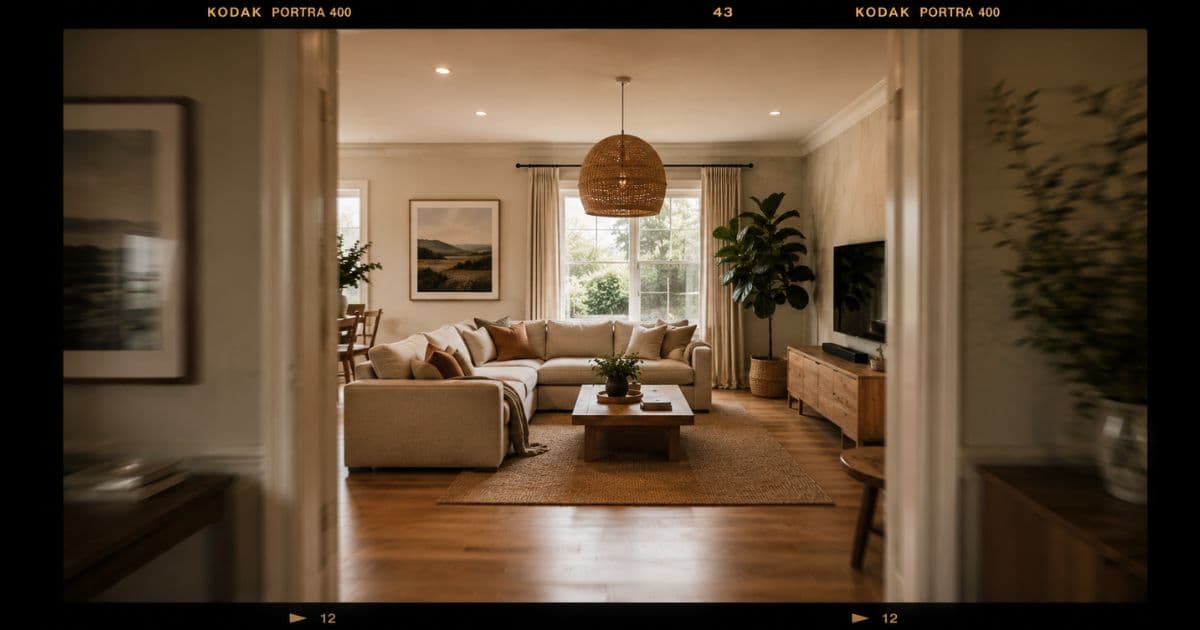
Listings with video receive 403% more enquiries than those without (NAR, 2024). But traditional property video costs $500–$1,500 per listing, requires scheduling a videographer, and takes 3–5 days from shoot to delivery.
Homai's Video Flythrough generates a cinematic property video from a single staged room photo. No videographer. No equipment. No editing software. Ready in minutes.
Why Real Estate Video Works — and Why Most Agents Skip It
The engagement gap between video and photos is enormous. The barrier to entry is what stops most agents from using it.
Buyers spend an average of 60% longer engaging with listings that include video (Realtor.com, 2024). Video activates spatial understanding in a way static photos can't — it gives buyers a sense of movement through a space rather than a single frozen frame.
But the traditional video production workflow is expensive enough to make the economics difficult:
| Video Production Method | Cost | Turnaround |
|---|---|---|
| Professional videographer + edit | $500–$1,500 | 3–5 days |
| DIY smartphone video | $0 | Fast, but low quality |
| Homai Video Flythrough | From ~$2 | Minutes |
The cost barrier is why video adoption in real estate remains inconsistent. Agents who do it consistently outperform those who don't — but most only use video on premium listings where the budget justifies it.
AI removes the barrier entirely. Video becomes viable on every listing.
What Homai's Video Flythrough Produces
A cinematic AI-generated video that moves through a property as if a camera were physically tracking through it.
Homai's Video Flythrough takes a single staged room photo and generates a smooth, cinematic video that simulates a camera moving through the space. The output reads as a professional property video — warm lighting, depth of field, natural movement.
What the video includes:
- Smooth camera movement through the staged room
- Depth-of-field effect that makes the space feel three-dimensional
- Lighting quality matched to the staged photo's aesthetic
- No watermarks or overlays on the output
- Portrait and landscape orientation options
Output formats: MP4, ready for portal upload, Instagram, Facebook, email campaigns, and property brochures with QR codes.
Duration: typically 10–20 seconds — the optimal length for listing video on portals and social media.
How to Create a Real Estate Video Flythrough with Homai
Three steps. No equipment. No editing skills required.
Step 1: Start with a staged room photo
The best Video Flythrough outputs come from well-staged, well-lit room photos. The living room hero shot is the highest-value starting point — it's the room buyers connect with most emotionally.
If the property is vacant, use Homai's Virtual Staging to stage the room first, then feed the staged photo into Video Flythrough. The sequence: photograph the empty room → AI stage it → AI animate it.
Step 2: Upload to Homai's Video Flythrough tool
Select Video Flythrough from the dashboard. Upload the room photo — JPG, PNG, or WEBP.
Step 3: Choose movement direction
Homai lets you select the camera movement style — slow pull-back, lateral pan, or forward push. For listing videos, a slow pull-back from the main seating area tends to produce the most impactful result: the buyer feels like they're entering the room.
Step 4: Download and publish
MP4 output ready to upload directly to listing portals, embed in email campaigns, post to Instagram/Facebook, or include in brochures via QR code.
Where to Use Real Estate Video Content
Video works differently in different contexts — use it in all of them.
Portal Listings (Zillow, Domain, REA, Rightmove)
Most major portals now support video uploads alongside photos. A video tab in a portal listing significantly increases time-on-page — which correlates with enquiry rates.
Best practice: use the Video Flythrough of the living room as the primary listing video. It's the most impactful single room.
Instagram Reels and TikTok
10–20 second property videos perform well in real estate content — particularly on Reels where the algorithm favors video engagement. The Homai Flythrough format is already optimized for this duration.
Caption formula that works: "📍 [Suburb]. [Key feature]. [Price guide or 'contact for price']. Full listing in bio."
Facebook Property Listings and Groups
Facebook's algorithm rewards video posts significantly over static images in terms of organic reach. Posting a Flythrough to your professional page and in local property groups extends the listing's visibility without paid promotion.
Email Campaigns to Buyer Database
Embed a thumbnail linking to the video in email campaigns. Open rates for property emails with video previews are consistently higher than photo-only campaigns. The subject line "Video tour: [address]" outperforms "New listing: [address]" by a significant margin.
Vendor Presentations
Show vendors a sample Video Flythrough during the listing appraisal — the same move as showing them a virtually staged photo before the listing is signed. Agents who can demonstrate the full listing production package (staged photos + exterior enhancements + property video) in the appraisal meeting win more listings.
The agent takeaway: A Video Flythrough takes 2 minutes to generate and costs ~$2. It produces content that works in five separate marketing channels. There's no other real estate marketing asset with that return per dollar invested.
Video Flythrough vs Transformation Video: Which to Use When
Homai produces two types of property video. They serve different purposes.
Video Flythrough — cinematic camera movement through a staged room. Best for: portal listings, email campaigns, buyer prospecting.
Transformation Video — a before/after reveal showing the empty room transforming into the staged version. Best for: social media, vendor presentations, showcasing the staging service to potential listing clients.
| Video Type | Best Channel | Duration | Best For |
|---|---|---|---|
| Video Flythrough | Portals, email, Instagram | 10–20 sec | Buyer engagement |
| Transformation Video | Instagram, TikTok, Facebook | 15–30 sec | Vendor presentations, social reach |
Run both for key listings. The Flythrough attracts buyers. The Transformation Video attracts listing clients.
Technical Tips for Best Video Flythrough Results
Input quality affects output quality — these four things make a consistent difference.
Use the best-lit room in the property. The living room with natural light is usually the right choice. Rooms with low light or mixed artificial lighting produce less cinematic output.
Start with a staged photo, not an empty one. A furnished room generates a dramatically more engaging video than an empty one. The staging is what buyers are watching.
Choose landscape orientation. Portrait videos work on Instagram Stories and TikTok; landscape works everywhere else. Landscape (16:9) is the safer default for listing portal uploads.
Keep it to one hero room. The temptation is to generate flythrough videos for every room. Resist it. One excellent living room flythrough outperforms five mediocre room videos. Spend the budget on quality over quantity.
Frequently Asked Questions
How much does an AI real estate video flythrough cost?
Homai's Video Flythrough costs from ~$2 per video. Traditional videography costs $500–$1,500 per listing.
What input photo does Homai need?
Any JPG, PNG, or WEBP of a room — staged or empty. Staged rooms produce more engaging videos. If the property is vacant, stage it with Homai's Virtual Staging tool first.
What file format does the video output in?
MP4, ready for portal upload, social media, and email campaigns.
How long is the generated video?
Typically 10–20 seconds — the optimal duration for property video on listing portals and social media.
Can I use the video on listing portals?
Yes. MP4 video uploads are supported on Zillow, Domain, REA, Rightmove, and all major portals globally.
Do I need to disclose that the video is AI-generated?
Follow your agency compliance guidelines for AI-generated content. Disclose in the listing description where required.
What's the difference between Video Flythrough and Plan to Walkthrough?
Video Flythrough generates a cinematic video from a staged room photo. Plan to Walkthrough generates a room-by-room video from a floor plan — showing all rooms in sequence rather than one room in depth.
Property Video for Every Listing — Not Just Premium Ones
Video Flythrough generates cinematic property video from a single staged photo — from ~$2, in minutes, no equipment required.
Create your first property video → homaihq.com
Related: AI Real Estate Photo Editing | Real Estate Social Media Content Ideas | How to Create a Property Walkthrough Video
Written by Homai
AI staging and interior design for real estate agents
Try Homai
Create your first property video in minutes
Upload a staged room photo and generate a cinematic flythrough video — no videographer, no equipment, no editing software.