Homai vs ReimagineHome: Which AI Home Design Tool Is Right for You?
Homai and ReimagineHome both use AI for home design and virtual staging — but they're built for different jobs. Here's an honest, feature-by-feature comparison to help you choose.
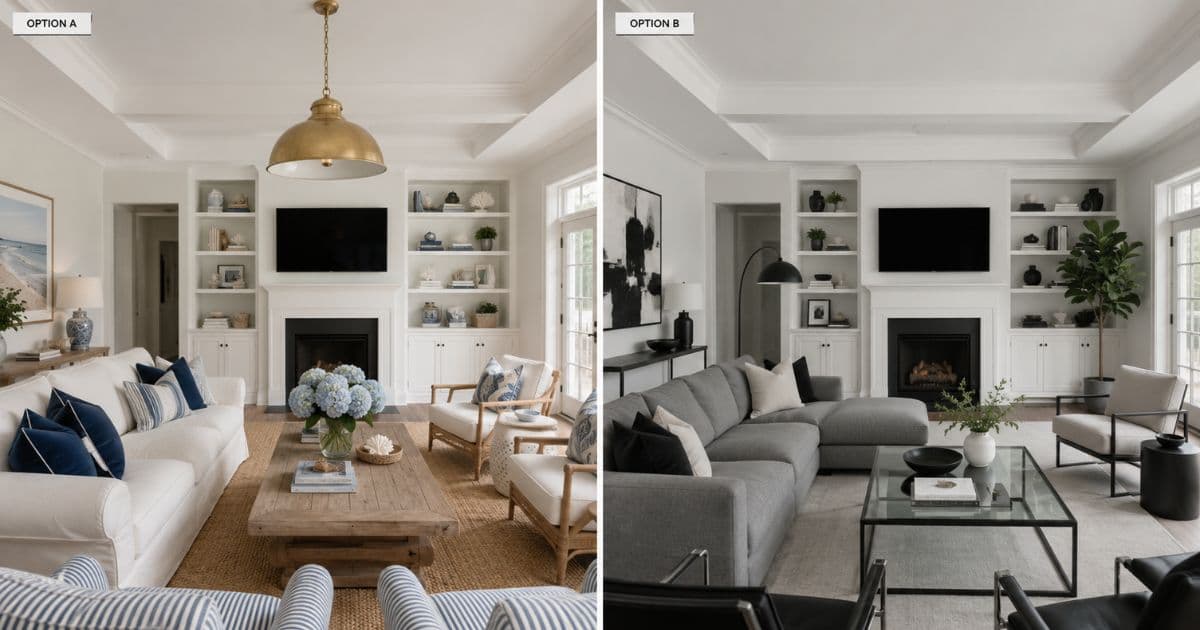
If you've searched for an AI tool to stage or redesign a room, ReimagineHome has almost certainly shown up. It's one of the most established names in AI home design — backed by Styldod, with a large tool catalog and millions of users.
Homai is newer, and built around a narrower premise: real estate professionals need a staging tool that behaves like part of their listing workflow, not a general-purpose design playground. That difference shapes almost everything else in this comparison.
Neither tool is "better" in the abstract. They're built for different jobs. This guide breaks down where each one wins — honestly, including where Homai doesn't.
The Short Version
If you only read one section, read this one.
Choose ReimagineHome if: you're a homeowner or interior designer exploring redesign ideas, you want to shop real furniture matched to your space and budget, or you want access to a very wide range of editing tools (landscaping, hardscaping, seasonal decor, pool removal, and more) under one account.
Choose Homai if: you're a real estate agent or property marketer who needs to stage multiple rooms in a listing quickly, you need output that's guaranteed not to alter the property's permanent architecture, or you want AI-generated marketing copy (listing descriptions, social posts, buyer emails) generated alongside your staged photos.
The takeaway: ReimagineHome is a broad home design platform with a real estate use case bolted on. Homai is a real estate listing production platform with design tools built specifically for that job.
Company Background
Both companies come from different starting points — and it shows in what each product prioritises.
ReimagineHome is a product from Styldod, a company that has been in the real estate photo editing and virtual staging space for years, primarily serving real estate photographers and agencies through traditional editing services. ReimagineHome is their self-serve AI product, reporting over 2.1 million users and 30 million designs generated — numbers that reflect a platform built for broad consumer reach across homeowners, designers, and real estate professionals alike.
Homai is built specifically around the real estate listing workflow — virtual staging, exterior enhancement, and AI-generated marketing copy designed to work together as a single batch job per listing, rather than as separate general-purpose tools.
The practical effect: ReimagineHome's product surface is wide. Homai's is narrow and specific.
Feature Comparison
Both platforms cover virtual staging — but the surrounding toolset diverges quickly.
| Feature | Homai | ReimagineHome |
|---|---|---|
| AI virtual staging | ✓ | ✓ |
| Empty room staging | ✓ | ✓ |
| Redesign furnished rooms | ✓ | ✓ |
| Exterior / facade redesign | ✓ | ✓ |
| Landscaping | ✓ | ✓ |
| Sky replacement | ✓ | ✓ |
| Day to Dusk | ✓ | ✓ |
| Object removal | ✓ | ✓ |
| Floor plan to interior visualization | ✓ | Partial |
| Shoppable furniture matching | ✗ | ✓ — core feature |
| Seasonal / festive decor presets | ✗ | ✓ |
| Pool add/remove | ✗ | ✓ |
| Batch staging (whole listing in one job) | ✓ | Not a primary workflow |
| Non-destructive output guarantee | ✓ Explicit guarantee | Not explicitly guaranteed |
| AI-generated listing copy (description, social, email) | ✓ — 8 content tools | ✗ |
| Real estate video tools (flythrough, walkthrough, transformation) | ✓ — 3 video types | ✗ |
| Reference image / moodboard matching | ✓ (Apply Style) | ✓ |
What stands out: ReimagineHome's tool catalog is genuinely larger — over 20 distinct solutions covering everything from seasonal resets and festive decor to pool removal. If your use case is "I want to try a lot of different things with my home photos," that breadth is a real advantage.
Homai's catalog is smaller but more joined-up. The staging tool, the exterior tools, and the content generation tools are designed to run together on the same listing in one batch — producing staged photos and the marketing copy to go with them in a single workflow.
The "Decision Canvas" vs the Listing Workflow
This is the philosophical difference between the two products — and it matters more than the feature list.
ReimagineHome's homepage frames its core experience as a "Decision Canvas" — you set a structural lock, a budget, and a ZIP code, then generate shoppable designs matched to real products. It's explicitly positioned around helping someone make a confident design decision, often with an eye toward actually purchasing the furniture shown.
That's a genuinely useful product if your question is "what should I actually buy for this room, within this budget, that I can ship to this ZIP code?"
Homai's core experience is built around a different question: "I have 6 rooms in this listing that need to look buyer-ready by tomorrow morning, and I need the portal description and social posts to go with them."
Neither question is more important. They're just different jobs — and most users have one or the other, not both.
Output Quality and Non-Destructive Staging
This is the area where real estate professionals should look most closely.
For a homeowner exploring "what could this room look like," small changes to wall placement, window proportions, or ceiling height in an AI-generated image don't matter much — it's exploratory.
For a real estate listing, it matters a great deal. If a staged photo shows a window in a different position, a wall that doesn't exist, or a ceiling height that doesn't match reality, that photo creates a misrepresentation problem at inspection — and in some markets, a compliance problem with advertising standards.
Homai's staging output carries an explicit non-destructive guarantee: permanent architecture — walls, windows, ceiling lines, flooring — is preserved exactly as photographed. Only furniture, soft furnishings, and décor are added.
ReimagineHome's own homepage acknowledges this concern directly, framing it as a question real estate agents specifically need answered. That it's surfaced as a question suggests it's not treated as a blanket guarantee across every tool in their catalog — more something to be mindful of depending on which tool and settings you use.
If non-destructive output is a hard requirement for your listing photos — and for most real estate compliance standards, it should be — this is worth testing directly with both platforms on the same room photo before committing.
Pricing Comparison
| Homai | ReimagineHome | |
|---|---|---|
| Entry price | $49/month | $14/month |
| Top tier | $199/month | $99/month |
| Pricing model | Monthly room/staging credits | Credit-based with top-ups |
| Free tier | Free staging on signup, no card required | First 3 designs free, no credit card |
| Watermark-free exports | ✓ all paid plans | Available on paid plans |
ReimagineHome's entry price is lower — which makes sense given its broader consumer audience including casual homeowners who might generate a handful of designs per month.
Homai's pricing is built around the volume a real estate agent actually needs: a Starter plan covering roughly 40 staged rooms per month is enough for 6–8 typical listings, and the Pro tier at 150 rooms covers a high-volume agent's entire monthly portfolio.
If you're staging one room occasionally, ReimagineHome's lower entry price and credit top-ups make sense. If you're staging entire listings every week, a plan built around monthly room volume tends to work out cheaper per room at that scale.
Who Each Platform Is Actually Built For
Real estate agents: Both platforms serve this group, but the workflows differ. ReimagineHome's agent framing centres on improving a space without misrepresenting it and making a listing media-ready quickly. Homai goes further into the listing production pipeline — batch staging an entire property, generating the portal description, and producing social content from the same photos in one pass.
Interior designers: ReimagineHome's shoppable furniture matching and moodboard-to-room tools are built with this group specifically in mind — if part of your job is sourcing actual products for a client, that's a meaningful capability Homai doesn't replicate.
Landscape designers: ReimagineHome has dedicated landscaping and hardscaping tools as core solutions. Homai has a landscaping visualization tool but it's one of many, not a dedicated persona-level offering.
Homeowners: ReimagineHome's breadth — seasonal decor, festive flips, pool changes, repainting — serves the "I just want to play with ideas for my own home" use case very well. Homai's homeowner-facing tools cover the core decisions but not the seasonal/lifestyle extras.
What ReimagineHome Does That Homai Doesn't
Shoppable design. ReimagineHome's core loop connects a generated design to real products curated for your space, style, and budget — genuinely useful if you intend to actually furnish the room shown.
Tool breadth. Seasonal reset, festive flip, pool add/remove, hardscaping, image straightening — ReimagineHome's catalog covers edge cases Homai doesn't address.
Lower entry price. At $14/month entry pricing, ReimagineHome is more accessible for occasional or exploratory use.
Scale and track record. 2.1M+ users and 30M+ designs generated represents significant real-world usage.
What Homai Does That ReimagineHome Doesn't
Listing copy generation. Homai generates portal descriptions, social media posts (Instagram, Facebook, LinkedIn, Pinterest — each platform-native), buyer outreach emails, brochure copy, and Airbnb listings — all from the same room photo used for staging.
Real estate video tools. Video Flythrough, Transformation Video, and Plan to Walkthrough generate property video content directly from staged photos and floor plans — a category ReimagineHome doesn't compete in.
Batch listing workflow. Homai is built around processing an entire property's room set as one job — producing a consistent staging style across every room plus the marketing copy package.
Explicit non-destructive guarantee. For agents where listing compliance is non-negotiable, Homai's architecture-preservation guarantee is stated as a core product commitment.
The Honest Recommendation
If you're a real estate agent or property marketer whose job each week involves taking a set of listing photos and turning them into staged images, a portal description, and social content — Homai's batch workflow and content tools are built for exactly that sequence.
If you're a homeowner, interior designer, or someone exploring "what could I do with this room" across a wide range of scenarios — seasonal decor, shoppable furniture, landscaping, pool changes — ReimagineHome's breadth and lower entry price make it a strong fit.
Many people use both for different things. The $14–$49/month entry points on either platform make testing low-risk.
Frequently Asked Questions
Is Homai a ReimagineHome alternative?
For real estate listing production specifically, yes — Homai is built around the batch staging plus marketing copy workflow that real estate agents repeat for every listing. For general home design exploration, shoppable furniture, or homeowner use cases, ReimagineHome's broader catalog may be a better fit.
Which is cheaper, Homai or ReimagineHome?
ReimagineHome's entry price is $14/month versus Homai's $49/month — lower for occasional use. For agents staging full listings weekly, Homai's room-based plans are designed to work out more cost-effective per room at that volume. Compare based on your actual monthly room count, not the headline price.
Does ReimagineHome alter the structure of a room?
ReimagineHome's homepage explicitly frames this as a question agents need to answer for themselves depending on the tool and settings used. Homai's staging carries an explicit non-destructive guarantee — permanent architecture is always preserved. If this matters for your listings, test both directly on the same photo.
Can I use Homai for shoppable furniture like ReimagineHome?
No — Homai doesn't currently match generated designs to purchasable products. If sourcing real furniture for a client is core to your workflow, ReimagineHome's shoppable design feature covers that specifically.
Does Homai generate listing descriptions and social media posts?
Yes — this is one of Homai's core differences. Upload a room photo and generate a portal listing description, platform-specific social posts, buyer outreach emails, brochure copy, and more, alongside the staged image.
Try Both — Free, No Card Required
Both platforms offer a free starting point. Stage the same room on each and compare the results for your specific use case.
Related: Best AI Virtual Staging Tools in 2026 | Virtual Staging Pricing Guide | AI Home Design
Written by Homai
AI staging and interior design for real estate agents
Try Homai
Try Homai free — no card required
Stage a room, redesign an interior, or generate listing copy. See what Homai does for your listing workflow.